
What Does Dpi On A Mouse Mean
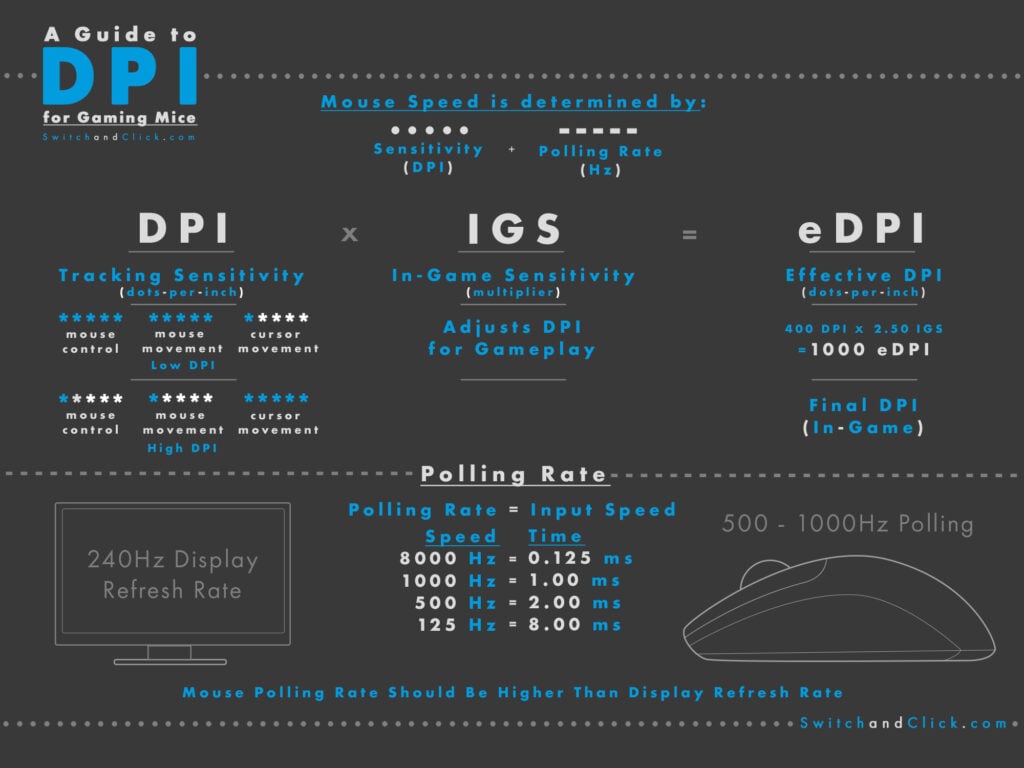
Ever found yourself staring at your mouse, maybe fiddling with it as you browse the web or conquer your favorite game, and you've noticed this little acronym lurking in the settings or maybe even printed on the box? DPI. What on earth does that even mean? Is it some kind of secret code? A mystical incantation for better clicking? Don't worry, you're definitely not alone in wondering! Let's dive in and demystify this bit of tech jargon in a way that's totally chill and, dare I say, a little bit fun.
So, picture this: you're moving your mouse across your mousepad. That little pointer on your screen follows along, right? Pretty basic stuff. But how accurately and how quickly does it follow? That's where DPI steps onto the stage.
DPI: The Mouse's "Sensitivity" Superpower
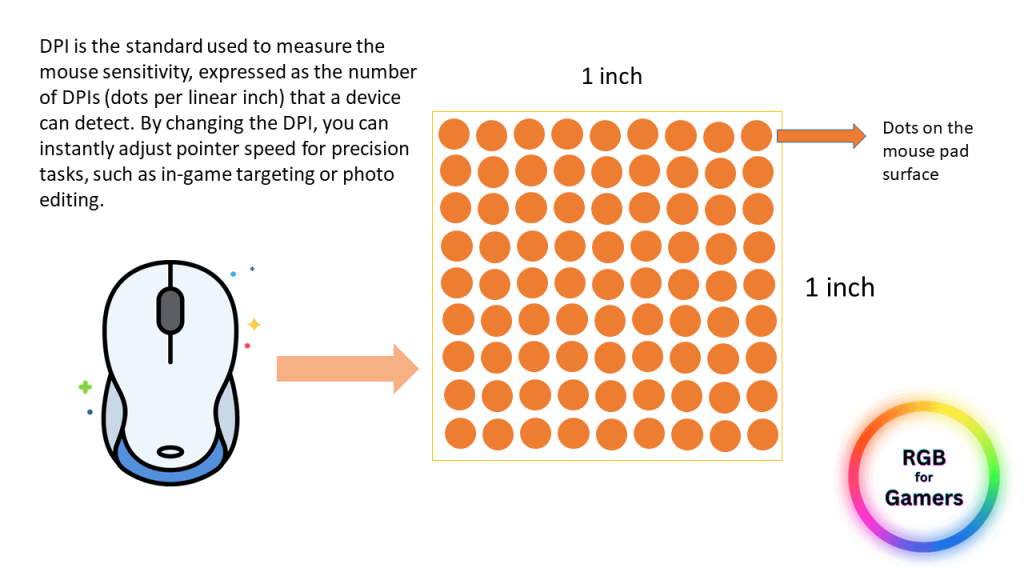
At its core, DPI stands for Dots Per Inch. Think of it like this: for every single inch you physically move your mouse on your desk, how many "dots" (or pixels, really) does that translate to on your computer screen? That's the DPI number telling you.
Must Read
So, a higher DPI means that for every inch you move your mouse, your cursor on the screen zips around a lot further. It's like going from a gentle stroll to a full-on sprint with just a tiny twitch of your wrist!
Let's Get Visual: The Car Analogy
Imagine your mouse is a tiny car, and your cursor is the little toy car you're steering. If your DPI is set low, it's like driving that toy car with a very slow steering wheel. You have to turn it a lot just to make the toy car change direction a little bit.
Now, crank that DPI up! It's like having a super-responsive, super-fast steering wheel. A tiny flick of your wrist, and that toy car is doing donuts across the screen. Pretty neat, huh?
Why Does This Even Matter? The Practical Stuff
Okay, okay, so it's about how far the cursor moves. But why should you care? Well, depending on what you do with your computer, DPI can make a surprisingly big difference.
For the Everyday Browser and Word Warrior
If you're mostly just surfing the web, sending emails, or typing up your latest masterpiece, a moderate DPI is usually perfectly fine. You don't need your cursor to be zipping across multiple screens with a slight breeze. A comfortable, predictable movement is key here.
Think of it like using a normal pen. It does the job, it's reliable, and you don't have to overthink it. Most mice come with a default DPI that's designed to be good for this kind of general use.
The Gamer's Secret Weapon
Now, if you're a gamer, especially in fast-paced games like first-person shooters (FPS) or real-time strategy (RTS) games, DPI becomes a big deal. Why? Because speed and precision are everything.
Imagine you're in a game, and an enemy pops up on your screen. You need to react instantly. If your DPI is too low, you might have to pick up your mouse and reposition it multiple times just to aim at them. That's precious milliseconds lost, and in the gaming world, that can mean the difference between victory and a respawn screen.
A higher DPI allows for incredibly quick turns and targeting. You can snap your aim from one enemy to another with just a small, controlled movement of your wrist. It's like having eyes in the back of your head, but through your mouse!
However, it's not just about going as high as possible. Too high a DPI can make your cursor feel jumpy and hard to control, like trying to draw a fine line with a vibrating pen. It’s all about finding that sweet spot that feels comfortable and allows for accurate aiming.
The Designer's Precision Tool
On the flip side, for creative folks working with graphic design, video editing, or even intricate spreadsheets, sometimes a lower DPI can be your best friend. Why? Because it offers finer control.
Think about carefully selecting tiny elements in an image or precisely drawing a curve in a design program. A lower DPI means that even the smallest, most subtle movements of your hand translate to similarly small, precise movements on the screen. It's like using a super-fine tipped pencil instead of a chunky marker.
![How to Change Your Mouse's DPI [Updated]](https://www.cgdirector.com/wp-content/uploads/media/2023/10/What-is-Mouse-DPI.jpg)
This allows for that delicate touch, that pixel-perfect precision that can make all the difference in a professional design or a complex data analysis. You’re not trying to be fast, you’re trying to be exact.
So, What's the "Right" DPI?
This is the million-dollar question, and the answer is: it depends! There's no single "best" DPI for everyone. It's a totally personal preference, like choosing your favorite flavor of ice cream.
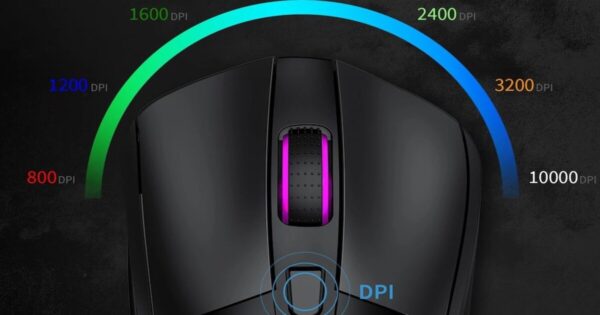
Most modern gaming mice, and even many standard mice, come with adjustable DPI settings. You can often find a button right on the mouse itself to cycle through different levels, or you can dive into the mouse's software settings on your computer. This is where the real magic happens, allowing you to fine-tune your mouse's responsiveness.
Experimenting is key! Try out different DPI settings. What feels too slow? What feels too jumpy? You're looking for that sweet spot where your cursor feels like an extension of your own hand, responding exactly how you intend it to.
The Range of DPI
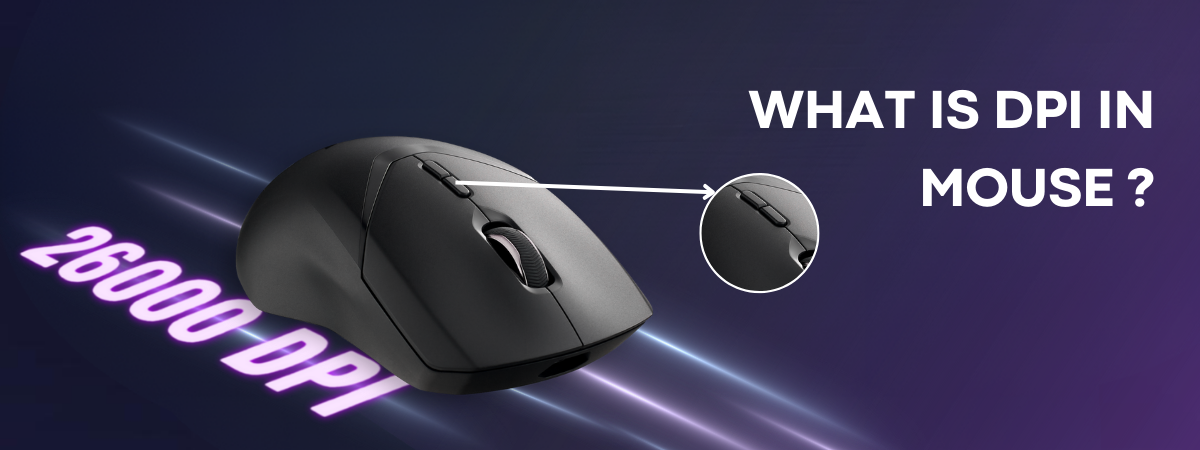
You'll see DPI numbers ranging from a few hundred all the way up to 20,000 or even more on some high-end gaming mice. Does a mouse with 16,000 DPI offer a significantly better experience than one with 3,000 DPI for everyday use? Probably not. For most people, the extremely high DPI numbers are more about marketing and catering to the most niche gaming scenarios.
For general use, something in the 800-1600 DPI range is often a good starting point. For gamers, it can vary wildly from 400 DPI to 3200 DPI, or even higher, depending on their playstyle and the game.
In Conclusion: It's All About Control
So, the next time you see "DPI" on your mouse or in your settings, you'll know it's not some scary tech monster. It's simply a measurement of how sensitive your mouse is, dictating how far your cursor moves on screen for every inch you move your mouse.
It’s a cool little feature that lets you tailor your mouse’s performance to your specific needs, whether you're aiming for the headshot of a lifetime, meticulously editing a photo, or just casually browsing your favorite websites. It's all about giving you control and making your digital interactions feel just right. Happy clicking!

