How To Set Up Seo On Wordpress

Ever dreamt of showcasing your vibrant paintings, quirky knitted creations, or insightful blog posts to the world? WordPress, the darling of the web, is where those dreams often take flight! It's not just for big businesses; this incredibly versatile platform is a blank canvas for creatives, hobbyists, and anyone with a story to tell. And to make sure your masterpiece gets discovered, we need to talk about its secret weapon: Search Engine Optimization (SEO).
Think of SEO as your digital megaphone. Without it, your amazing work might be tucked away in a quiet corner of the internet, unheard. But with a little SEO magic, your WordPress site can start showing up when people are actively searching for exactly what you offer. For artists, this means buyers finding your unique pottery. For crafters, it means fellow enthusiasts discovering your latest crochet tutorial. For budding writers, it means readers stumbling upon your witty takes on life.
Imagine this: a budding photographer specializing in stark black and white moody, atmospheric landscapes sets up a WordPress site. By optimizing with keywords like "dramatic landscape photography," "moody forest prints," or "seascape art," their work can appear when someone searches for these exact terms. Or consider a baker who crafts elaborate, themed cakes. With SEO, they can attract local clients searching for "custom birthday cakes [your city]" or "unique wedding cake designs." The possibilities are as vast as your imagination – from vintage furniture restoration blogs to urban gardening guides!
Must Read
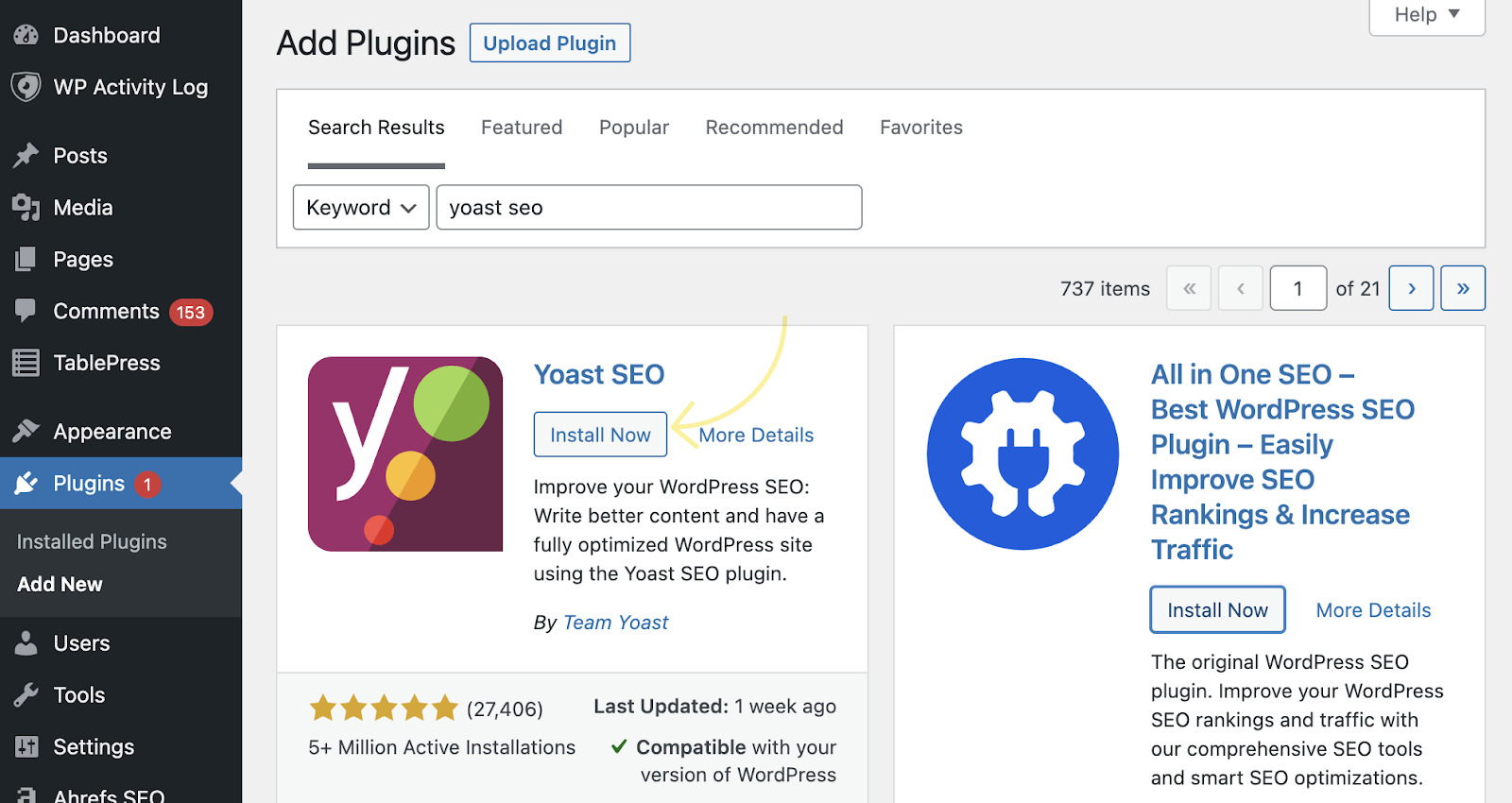
Ready to give it a whirl? Setting up basic SEO on your WordPress site is more accessible than you might think. The first step is choosing a reliable SEO plugin. Yoast SEO and Rank Math are the reigning champions, offering intuitive guidance and a user-friendly interface. Once installed, these plugins act like a helpful co-pilot, prompting you to:
- Choose your focus keyword: What's the main thing someone would search for to find this specific page or post?
- Craft compelling meta descriptions: This is your mini-advertisement in search results – make it enticing!
- Write descriptive alt text for images: Help search engines understand what your visuals are about (and it's great for accessibility too!).
- Use headings effectively: Break up your content with clear headings (H1, H2, etc.) to improve readability and signal importance.
The beauty of getting a handle on WordPress SEO is that it's a continuous journey, not a destination. It's about connecting with people who genuinely appreciate what you do. There's an incredible satisfaction in seeing your creations reach a wider audience, all thanks to a little strategic tinkering behind the scenes. So, dive in, experiment, and let your WordPress site shine – the internet is waiting to discover your unique spark!