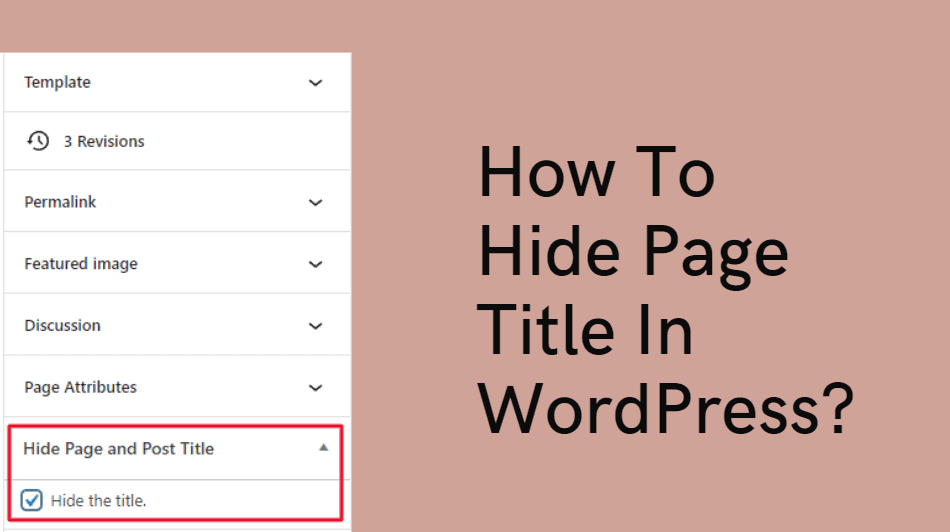
How To Hide A Page In Wordpress

Hey there, fellow website wranglers and digital denizens! Ever found yourself staring at your WordPress dashboard, a little overwhelmed by all those pages and posts, thinking, "You know, some of this stuff is just… for my eyes only?" Maybe you're testing out a new design, working on a secret project, or perhaps you just have a very niche hobby you're not quite ready to unleash on the world. Whatever the reason, the desire to keep a page under wraps, like a delightful little surprise, is totally understandable. And guess what? WordPress makes it surprisingly easy, and dare I say, a little bit fun to do just that!
Think of it like having a secret clubhouse for your website. You can invite who you want, when you want, and keep the riff-raff (or, you know, just your Aunt Mildred who insists on commenting on everything) out. It’s all about taking control of your digital space and making it work for you. No more feeling like you have to present a perfectly polished facade to the entire internet at all times. Sometimes, a little bit of mystery is just what the doctor ordered, right?
So, how do we pull off this delightful feat of digital discretion? It’s actually simpler than you might think. Forget complex coding or needing a degree in computer science. WordPress has baked-in features that are your new best friends in the world of page privacy. Let’s dive in!
Must Read
The Easiest Way: The "Private" Setting
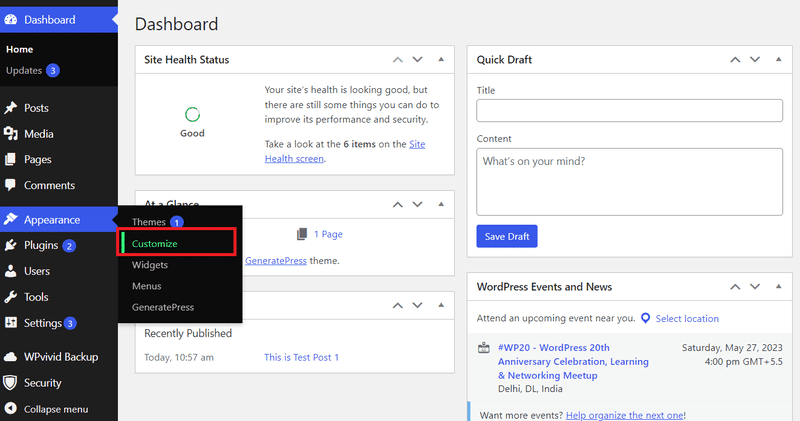
This is your go-to, your trusty sidekick, your secret handshake. When you're creating or editing a page in WordPress, you’ll see a little box in the right-hand sidebar called “Publish.” Within that box, there’s usually a link that says “Visibility: Public.” Click on that bad boy, and prepare to be amazed!
You’ll see three options: Public, Private, and Password Protected. We’re focusing on Private right now. When you select “Private,” it’s like drawing the curtains on that page. Only users who are logged into your WordPress site with an administrator or editor role will be able to see it. Everyone else? Poof! It’s like it never existed. Pretty neat, huh?
Why is this so cool? Imagine you’re revamping your "About Us" page, and you want a few trusted colleagues or friends to give you feedback before it goes live. You don’t want random visitors seeing your work-in-progress, do you? Nope! Make it private, share the link with your chosen few (who are already logged in, remember?), and get those valuable insights without anyone else being the wiser. It’s like having a private brainstorming session for your website!
A Little Heads-Up About "Private" Pages
It’s important to remember that “private” doesn’t mean “invisible to everyone on the internet.” It just means invisible to anyone who isn’t logged in with the right credentials. So, if you’re planning a secret party and want to send out invitations via a private page, make sure your guests know they’ll need to log into your WordPress site to see it. For most casual hiding needs, though, this is absolutely perfect.
Think of it as putting up a “Do Not Disturb” sign on your digital door. You’re still there, but you’re not available to the general public. It’s a subtle but effective way to manage your content and maintain a bit of control over what’s out there.
The Stealthy Option: Password Protection
Now, what if you want to share a page with someone, but you don’t necessarily want them to have full administrator or editor access to your entire WordPress backend? Enter the wonderfully effective Password Protected option. This is like having a secret handshake and a secret password for your page. Only those who possess the magic word can unlock the treasure!
To use this, you’ll again go to that trusty “Publish” box in the sidebar. Instead of “Public” or “Private,” you’ll select “Password Protected.” WordPress will then prompt you to create a password. Choose something memorable for you, but a little tricky for the casual guesser. Once you set it and update your page, anyone who tries to access that page will be greeted with a login prompt, asking for the secret password.
This is fantastic for so many scenarios. Planning a surprise birthday party? Create a page with all the details – the date, time, location, a hint about the theme – and password-protect it. Then, you can share the link and the password with your guests. They’ll feel like they’ve stumbled upon a hidden treasure map, and you’ll have peace of mind knowing the surprise is safe.
Or perhaps you’re a photographer and want to share a gallery of proofs with a client. You can upload the images to a page, password-protect it, and send your client the link and the password. They get their own private viewing area, and you don’t have to worry about anyone else peeking at their precious memories. It adds a lovely touch of exclusivity and professionalism, don’t you think?
Password Protection: Your Digital Velvet Rope
This method is great for sharing specific content with specific people. It’s like having your own exclusive club, and you’re the bouncer at the door. You decide who gets in. It's a very empowering feeling to have that kind of granular control over your website's content. Plus, it adds a fun element of intrigue!
Remember to keep your passwords strong and unique, and if you’re sharing them, make sure you’re doing so securely. You wouldn’t want your secret party details falling into the wrong hands, after all!
But Wait, There's More! (The "Hidden" Menu Magic)
Now, let’s talk about a slightly more advanced, but still super user-friendly, way to effectively hide a page: by simply not linking to it. This might sound almost too simple, but it’s incredibly powerful. If a page isn’t linked from your navigation menu, your homepage, or any other visible part of your website, how will anyone find it? They won’t!
So, you can create a page, give it whatever content you desire, and then just… leave it be. Don't add it to your main menu. Don't create a prominent call-to-action button for it. If you do want to share it with someone, you can simply send them the direct URL. They’ll be able to access it just fine, but without an explicit link, it remains a hidden gem, waiting to be discovered.
This is perfect for internal documentation, a draft of a testimonial you’re waiting to get approved, or even a placeholder page for future content. It keeps your main website looking clean and organized, while allowing you to store and work on other things behind the scenes. It’s the digital equivalent of having a handy notepad tucked away in your desk drawer.
The Art of the Unlinked Page
This method requires a bit more intention. You’re not relying on WordPress’s built-in privacy settings to do the heavy lifting. Instead, you’re using the structure of your website to control visibility. It’s a more subtle form of hiding, and for many purposes, it’s the most elegant solution.
Think of it as creating a secret room in your house. You don’t put a sign on the door, and you don’t mention it in the house tour. Only those you tell know it exists. And isn’t that a fun little secret to have?
Why is Hiding Pages So Empowering?
Beyond the practical applications, there’s something incredibly liberating about having the ability to hide pages. It means you’re not obligated to have every single piece of content screaming for attention. You can experiment, you can create, you can refine, all without the pressure of immediate public scrutiny.
It allows you to be more creative, to take risks, and to develop your website in stages. It gives you the freedom to have different versions of pages, or to prepare for future events without revealing your hand too early. It’s about building your online presence with intention and confidence.
WordPress, in its wonderful, user-friendly way, gives you these tools to play with. It empowers you to be the master of your digital domain, to curate your online space exactly how you want it. So, go forth, experiment, and have fun with it! You might just discover a whole new level of enjoyment in managing your website when you know you have these little secrets up your sleeve.
Learning these simple tricks can open up a world of possibilities for your website. It’s not just about hiding; it’s about control, creativity, and a little bit of delightful mystery. So, what are you waiting for? Log into your WordPress dashboard, find a page, and try one of these methods. You might be surprised at how much fun you have playing the role of the digital magician!