How To Get The Url Of A Image
So, you've stumbled upon a picture online that's just too good to resist. Maybe it's a ridiculously fluffy cat doing something utterly insane, a breathtaking sunset that makes you want to pack your bags, or a meme that perfectly captures your current existential dread. Whatever the glorious digital artwork, you're thinking, "I NEED this!" And by "this," I mean its magical internet address, otherwise known as its URL. Don't worry, my friend, you're about to become a URL-finding ninja!
Think of a URL like the secret handshake for getting that image to appear wherever you want. It's the tiny string of letters and symbols that tells your computer, "Hey, go fetch this awesome thing from this specific spot on the internet!" Without it, that picture is basically locked behind a digital velvet rope, and we're about to sneak past the bouncer.
Let's dive into the wonderful world of image URLs. It's not rocket science, it's more like… advanced digital sticker collecting. And trust me, once you master this, you'll feel like you've unlocked a secret level in the game of life.
Must Read
The Sneaky Right-Click Method: Your New Best Friend
This is the most common, the most reliable, the most… satisfying way to get your grubby little digital mitts on an image URL. Grab your mouse, give it a gentle pat for good luck, and prepare for some serious power.
First, hover your mouse cursor over the image you're obsessed with. It's like giving the image a little digital "hello!" Make sure you're directly on the image itself, not some surrounding text or whitespace. We're targeting the main event here!
Now, here's the magic: right-click. For most of you, this means pressing the button on the right side of your mouse. If you're one of those fancy trackpad wizards, it might be a two-finger tap. Whatever your method, unleash the right-click!
A magical menu will pop up, a treasure chest of options. It might look a little different depending on your internet browser (like Chrome, Firefox, Safari, or Edge), but there's always a specific phrase you're looking for. It's usually something like "Copy Image Address", "Copy Image URL", or even just "Copy Link Address" if you're feeling lucky.

Don't be shy! Click on that glorious option like you're claiming your prize in a game show. This is the moment of truth.
Congratulations! You've just copied the image URL to your digital clipboard. It's now lurking in the shadows, ready to be pasted wherever you desire. You're practically a digital detective at this point, and the case of the missing image URL is solved.
Where Did It Go? Phew, It’s Right Here!
So, you've got this magical string of characters. What do you do with it? This is where your creativity can truly shine!
Imagine you want to send this incredible picture to your best friend who's currently having a terrible day. You can paste the URL directly into a chat message. They'll click it, and bam! Instant joy delivered. It’s like sending a virtual hug with a picture attached.
Perhaps you're building your own little corner of the internet, a personal website or blog. You can use that URL to embed the image directly into your page. Suddenly, your website has a splash of awesomeness, thanks to your newfound URL-retrieving skills.

You can even paste it into a new tab in your browser. Watch in awe as the image pops up in all its glory, a solo performance just for you. It’s like having your own private art gallery.
The "Inspect Element" Adventure: For the Curious Souls
Now, for those of you who like to peek behind the curtain, who enjoy a little bit of digital archaeology, there's another method. It’s called "Inspect Element", and it’s like having X-ray vision for websites.
This one is a bit more involved, but don't let that scare you. It's just like learning a new dance move – a little awkward at first, but soon you'll be a pro! Again, start by right-clicking on the image. But this time, instead of looking for "Copy Image Address," you're going to look for something like "Inspect" or "Inspect Element".
A panel will probably appear on the side or bottom of your browser window. This panel is a glimpse into the secret code that makes the website tick. It can look intimidating, like a secret alien language, but we're only interested in a tiny part of it.
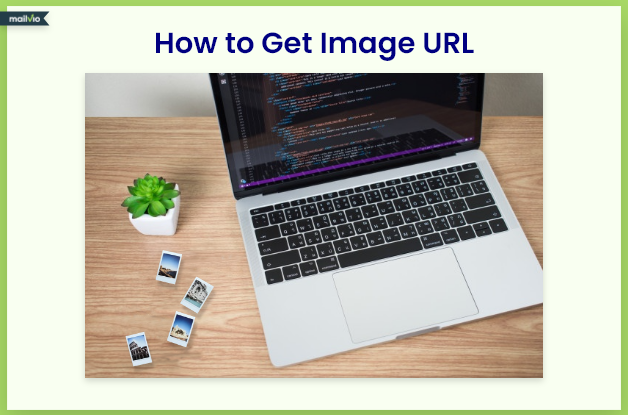
You'll see lots of code – lines and lines of it. Don't panic! The image you right-clicked on is usually highlighted in this code. Look for something that starts with src="...". That little phrase is your golden ticket.
The text inside the quotation marks after src= is the image URL! It's like finding the hidden treasure chest within the pirate's map.
You can then double-click on that URL, copy it, and paste it wherever you please. It’s a more advanced technique, sure, but it shows you’ve got the investigative spirit! You're not just finding images; you're understanding how they get there.
When Images Are Tricky: The "View Image" Option
Sometimes, especially on platforms like Google Images, you might see a picture, but when you right-click, you don't get the direct "Copy Image Address" option. It's like the picture is playing hard to get! Don't fret, we have a backup plan that's just as effective.
When you right-click on an image in a search result, you might see an option like "Open image in new tab" or "View image". This is your shortcut to freedom! Click on it, and the image will open up by itself in a brand new browser tab.

Once the image is displayed solo in its own tab, you can then perform the classic right-click maneuver we learned earlier. Now, you will see the glorious "Copy Image Address" or "Copy Image URL" option. Voila! The elusive URL is yours for the taking.
It’s like saying, "Okay, little image, you can hide in that search result page, but I’ll just open you up in your own spotlight and get your address then!" This method is a lifesaver for those tricky situations.
A Word to the Wise (and Slightly Obsessed)
While it's super fun to collect image URLs and share them with the world, remember that most images online are protected by copyright. It's like borrowing a cool toy from a friend – you can admire it, you can show it off, but you shouldn't claim it as your own or use it for commercial purposes without permission. Always be respectful of the original creators!
But for personal enjoyment, for sharing a laugh, or for adding a touch of visual pizzazz to your own digital creations (with attribution, of course!), knowing how to get an image URL is a superpower. You can now adorn your digital life with all the amazing visuals you discover. Go forth and conquer the internet, one image URL at a time! You're officially a digital treasure hunter!