How Much Does It Cost To Build A Wordpress Site

Ah, the sweet, sweet dream of a personal corner of the internet. A place to showcase your artisanal pickles, your avant-garde poetry, or perhaps just your killer playlist. Building a website feels like the ultimate adulting flex, right? And when the word "WordPress" gets thrown around, it sounds all official and techy. But here's the real tea: it's way more approachable than you think. So, grab your favorite mug, settle in, and let's chat about the not-so-scary question: How much does it actually cost to build a WordPress site?
Think of it like this: you want to build a cozy little cabin. You can go full-on Pinterest-perfect with custom blueprints, exotic wood, and a helipad (okay, maybe not a helipad). Or, you can go for a charming, rustic build that’s totally you, maybe with a few DIY touches. WordPress is kind of the same. It’s got options for every budget and every level of ambition. We're talking from the "just need a digital business card" to the "let's conquer the world, one blog post at a time" scenarios.
The Absolute Bare Minimum: The "Friend's Garage" Budget
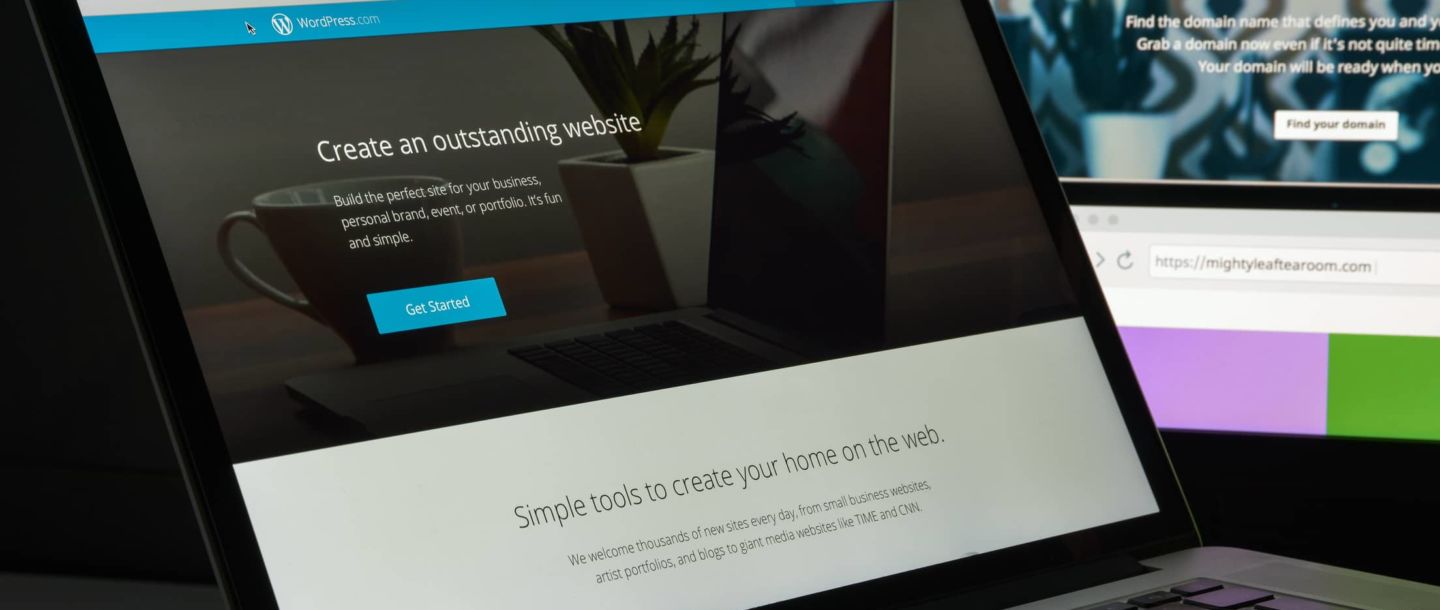
Let's get this out of the way: can you build a WordPress site for free? Technically, yes. Sort of. If you use WordPress.com (the hosted version), you can get a free plan. It's like getting a free plot of land in a very public park. You get a basic website, but it's branded with WordPress.com, you have limited customization, and it won't exactly scream "exclusive." It's the digital equivalent of wearing a company t-shirt to a job interview. Good for testing the waters, not so great for making a serious impression.
Must Read
The real "bare minimum" for a site that feels like yours involves a couple of key ingredients: a domain name and web hosting. Think of your domain name as your street address (like yourawesomebusiness.com) and web hosting as the actual plot of land your cabin sits on. You need both.
Domain Name: This is usually a one-time annual fee. Prices can range from $10 to $20 per year. Sometimes, you can snag a deal for the first year, but keep that renewal price in mind. It's like buying a year's lease on your digital home. Pretty sweet deal.
Web Hosting: This is where the real cost of your "bare minimum" lives. For shared hosting (where you share server space with other websites, like a bustling apartment building), you can find plans starting from around $3 to $10 per month. This is usually billed annually, so expect something like $36 to $120 per year. Companies like Bluehost, HostGator, and SiteGround are popular choices for beginners.
So, for the absolute basics – a domain and entry-level hosting – you’re looking at roughly $50 to $140 for your first year. That's less than a few fancy lattes a week! Plus, most hosting providers will throw in a free domain name for the first year, which is a nice little bonus. It’s like getting a welcome basket with your new apartment.
The "DIY Enthusiast" Sweet Spot: Making It Yours
Okay, so you’ve got your digital address and your land. Now, how do you make that cabin look less like a generic box and more like your cozy haven? This is where themes and plugins come into play. These are the interior design choices and the handy-dandy gadgets for your website.
WordPress Themes: The Digital Wardrobe
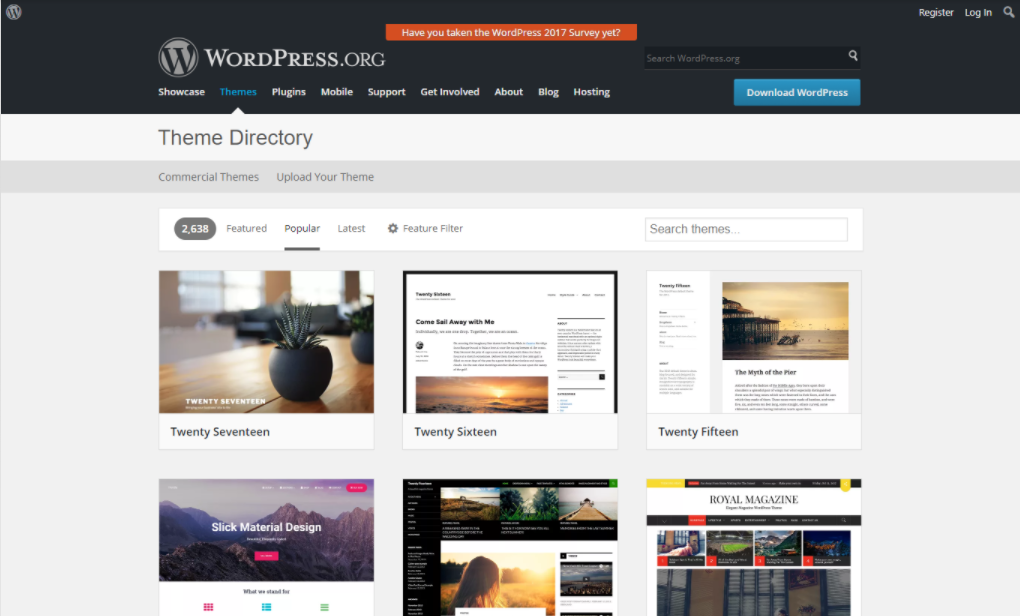
Themes are basically the pre-designed templates that dictate the look and feel of your website. You can find thousands of free themes in the WordPress directory. They're like finding a great, free outfit at a thrift store – you can definitely make it work! However, free themes can sometimes be a bit limited in customization, and their code might not be as optimized or up-to-date as premium options. Think of them as a canvas; you might need to do some extra painting.
Then there are premium themes. These are the designer duds. They cost anywhere from $30 to $100 (one-time purchase) and come with a whole host of benefits. We're talking more customization options, cleaner code, better support, and often, built-in features that save you from needing tons of plugins. Popular marketplaces for premium themes include ThemeForest, Elegant Themes (makers of the Divi theme, which is a whole ecosystem in itself!), and StudioPress.
For the DIY enthusiast, a solid premium theme can be a game-changer. It’s like buying a well-made piece of furniture that’s both stylish and functional.
WordPress Plugins: The Gadget Drawer of Awesome
Plugins are like apps for your website. They add functionality. Need a contact form? There’s a plugin. Want to improve your search engine optimization (SEO)? Plugin. Wish you could sell stuff online? Yep, plugin. Most plugins are free, which is fantastic! Think of them as those little freebies you get at a conference – useful and cost-effective.
However, just like with apps, there are premium plugins that offer advanced features, better support, and more polished interfaces. These can range from $20 to $200 per year or a one-time purchase. For example, a premium contact form plugin might offer advanced conditional logic and integrations that the free version doesn't.
How much to budget for themes and plugins? For a really solid, professional-looking site with good functionality, you might spend $60 to $200 on a premium theme and then perhaps another $50 to $150 per year on essential premium plugins (like SEO tools, security, or a premium page builder if you didn't get one with your theme). It’s an investment in making your site not just functional, but fabulous.
So, for the DIY enthusiast who wants a bit more flair and functionality, your annual cost could be in the range of $150 to $450. This covers your hosting, domain, a killer premium theme, and a few essential premium plugins. This is the sweet spot for many small businesses, bloggers, and creatives who want a professional online presence without breaking the bank.
The "I Want It All" League: The Bespoke Mansion Budget
Now, what if you’re not quite the DIY type, or you have a very specific vision that requires a bit more finesse? This is where the costs can start to climb, but you’re also getting a truly custom experience. Think of this as hiring an architect and a builder to create your dream mansion.
Hiring a Web Designer/Developer: The Professional Touch
This is where you’re paying for expertise, time, and creativity. A good web designer or developer can take your abstract ideas and turn them into a stunning, user-friendly, and highly functional website. They’ll handle everything from the initial design concepts to the nitty-gritty coding and optimization.
The cost here is highly variable and depends on the complexity of the site, the designer's experience, and your location. For a basic custom WordPress site, you might expect to pay anywhere from $1,500 to $5,000. For more complex e-commerce sites, membership sites, or sites with custom integrations, the cost can easily jump to $5,000 to $10,000+.
This often includes:
- Custom design concepts (not just a theme modification)
- Advanced functionality and custom coding
- SEO optimization built-in
- Content strategy and migration
- Thorough testing and launch support
It’s a significant investment, but for businesses that rely heavily on their website for leads, sales, or brand reputation, it’s often worth every penny. It's like commissioning a masterpiece; you get something truly unique and high-quality.
Premium Themes and Page Builders as a Starting Point
Some designers also work with premium themes or robust page builder plugins like Elementor Pro or Divi. While you’re still paying for their time and skill, they might leverage these tools to speed up the design process. Even in this scenario, you’re paying for their expertise in customizing and optimizing these powerful tools to fit your brand perfectly.
Ongoing Maintenance and Support: The Housekeeper and Gardener
Once your mansion is built, you still need to maintain it. This is where ongoing costs come in, even for the DIYer. WordPress updates, plugin updates, security scans, and regular backups are crucial. If you’re not doing it yourself, you’ll be paying for maintenance packages. These can range from $30 to $150+ per month.
So, for the "I want it all" crowd, the initial build can be anywhere from $1,500 to $10,000+. And then, you'll want to factor in ongoing maintenance, which can add another $360 to $1,800+ per year. It's the price of having a perfectly manicured estate.
Fun Facts and Cultural References: Keeping It Interesting!
Did you know that WordPress powers over 40% of all websites on the internet? That's a staggering number! It's like the trusty, versatile IKEA furniture of the internet – functional, affordable, and adaptable to almost any need. From tiny personal blogs to the websites of major corporations like The New York Times and NASA, WordPress is everywhere!
And let's talk about plugins. There are plugins for everything. Want your website to sing opera when someone visits? There's probably a plugin for that (though we strongly advise against it!). Want to integrate your site with your smart fridge to order more artisanal pickles when you run low? Okay, maybe not that advanced yet, but the possibilities are vast. It’s like having a secret superpower for your website.
The beauty of WordPress is its open-source nature. This means the code is freely available, and a massive community of developers constantly contributes to its improvement. It’s the ultimate collaborative project, like a global potluck where everyone brings their best dish to share.
When it comes to design, think about the aesthetic you love. Are you drawn to the minimalist, Japandi vibe? Or is it the maximalist, maximalism of Wes Anderson films that speaks to your soul? WordPress themes and customization tools allow you to channel these inspirations into your digital space.
And remember, your website is a reflection of you. Just like your home decor tells a story, your website’s design, content, and functionality communicate your brand, your personality, and your offerings to the world. It’s your digital handshake, your virtual storefront, your online diary – all rolled into one.

Practical Tips for Saving Dough (Without Sacrificing Quality)
Alright, let's get down to brass tacks. How can you build an awesome WordPress site without feeling like you just took out a second mortgage?
- Start with a Budget in Mind: Before you dive in, figure out what you can realistically spend. This will help you narrow down your options.
- Leverage Free Resources Wisely: Explore free themes and plugins. If they meet your needs, fantastic! Just make sure they're well-coded and regularly updated.
- Look for Hosting Deals: Many hosting providers offer significant discounts for new customers, especially if you sign up for a longer term (like 12 or 24 months). Read the fine print for renewal rates, though!
- Consider a Premium Theme with Built-in Features: Instead of buying a cheap theme and then a bunch of plugins to add functionality, a well-chosen premium theme might offer more value for your money.
- DIY Where You Can, Outsource Where You Can't: If you're tech-savvy, you can handle a lot yourself. If design or complex coding is your Achilles' heel, consider hiring a professional for just those parts.
- Focus on Essential Plugins First: Don't go plugin crazy! Install only what you truly need to keep your site running smoothly and securely.
- Future-Proofing Your Investment: Think about your long-term goals. While starting small is fine, if you anticipate significant growth, factor that into your initial choices.
The Final Word: Your Digital Canvas Awaits
So, how much does it cost to build a WordPress site? The answer, as you've probably gathered, is: it depends!
You can get started for as little as $50 to $150 for your first year if you go the absolute bare-bones route with shared hosting and free themes/plugins. This is perfect for a personal project or a simple online presence.
For a more polished, functional site with custom design touches, you're likely looking at an investment of $150 to $450 per year, which is a fantastic return for a professional-looking online asset.
And for those who need a truly bespoke solution, hiring professionals can range from $1,500 to $10,000+ for the initial build, plus ongoing maintenance.
Ultimately, WordPress is an incredibly flexible platform that can adapt to nearly any budget. It’s not about how much you spend, but how wisely you invest in creating a digital space that truly represents you or your business.
Think of it like this: the cost of your website is like the cost of your morning coffee. You can grab a quick, cheap cup on the go, or you can linger at your favorite cafe, savoring a carefully crafted latte with a beautiful pour-over art. Both are coffee, but the experience and the result are quite different. Your website is your digital brew – make it a good one!
And in the grand scheme of things, isn't having a space to share your passions, your products, or your expertise with the world worth a little bit of budgeting? It’s like tending to your garden. A little bit of effort and investment can yield a beautiful, thriving result. So go forth, dream big, and build that digital oasis!