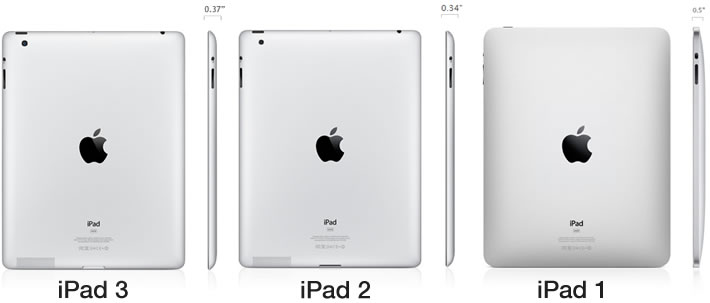
So, you’ve got this cool gizmo in your hands, right? A sleek tablet, probably silver or space grey, perfect for browsing cat videos, catching up on your favorite shows, or maybe even attempting that digital art masterpiece you’ve been dreaming about. It’s your iPad, your trusty sidekick in the digital realm. But then, a wild question pops into your head: "Which iPad do I actually have?" It sounds like a simple question, but sometimes, it feels like trying to decipher ancient hieroglyphs. Fear not, fellow traveler of the digital plains, because finding out is easier than you think, and it might even unearth a little story about your trusty device.
Think of your iPad like a beloved pet. You know its quirks, its favorite napping spots (usually the couch, let’s be honest), and the way it lights up when you open your favorite app. But does it have a fancy pedigree? That’s where the model name comes in. Apple, in its infinite wisdom, has given each generation of iPad a name, like a superhero or a beloved character in a long-running series. There’s the classic iPad, the more versatile iPad Air, the pocket-rocket iPad mini, and the powerhouse iPad Pro. Each has its own personality, its own strengths, and its own story to tell.
Now, how do you find out which one you’re rocking? It's time for a little detective work, and your iPad is surprisingly helpful in pointing you to the clues. The easiest way is to peek into its settings. It's like asking your iPad, "Who are you, really?"
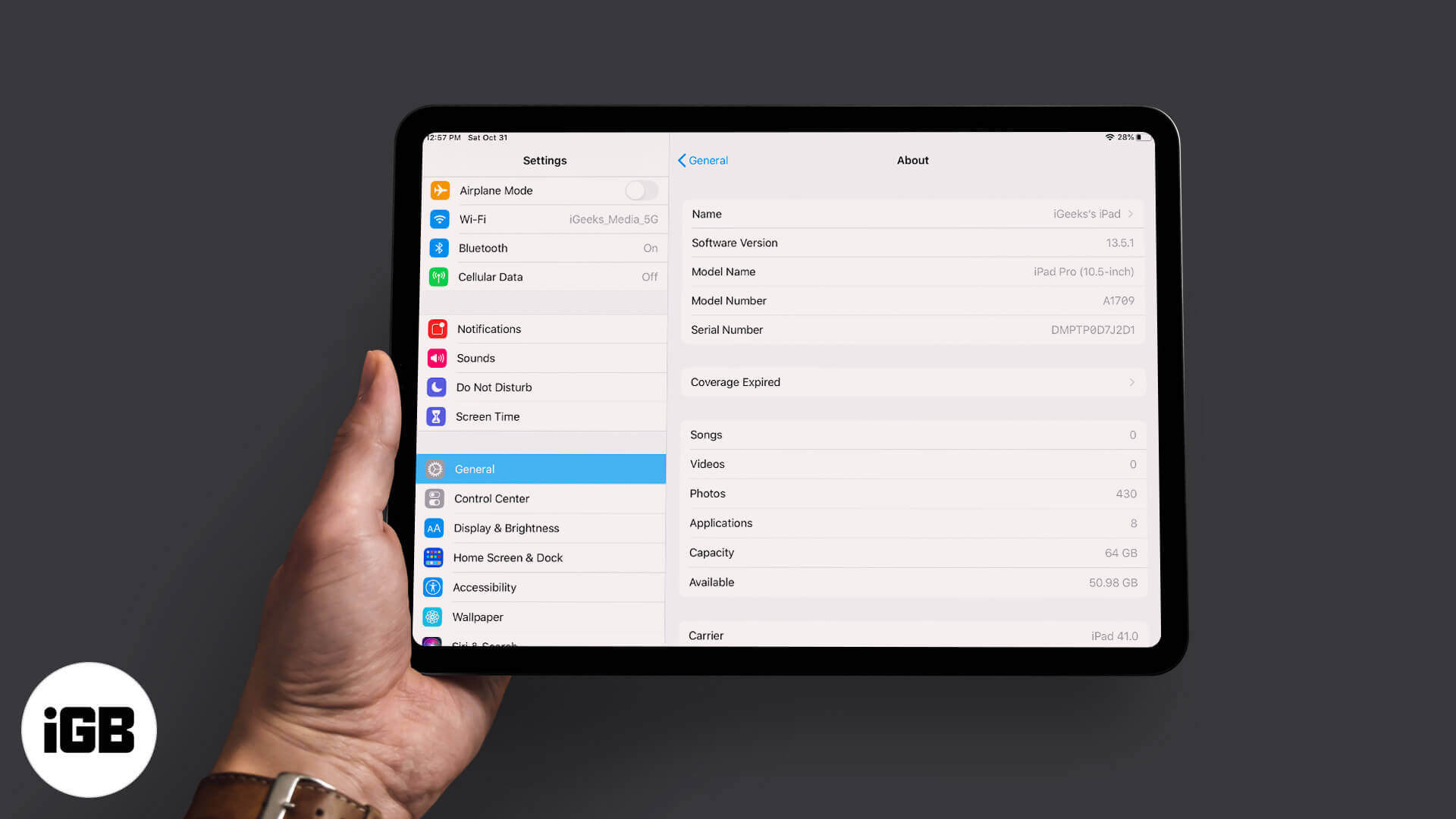
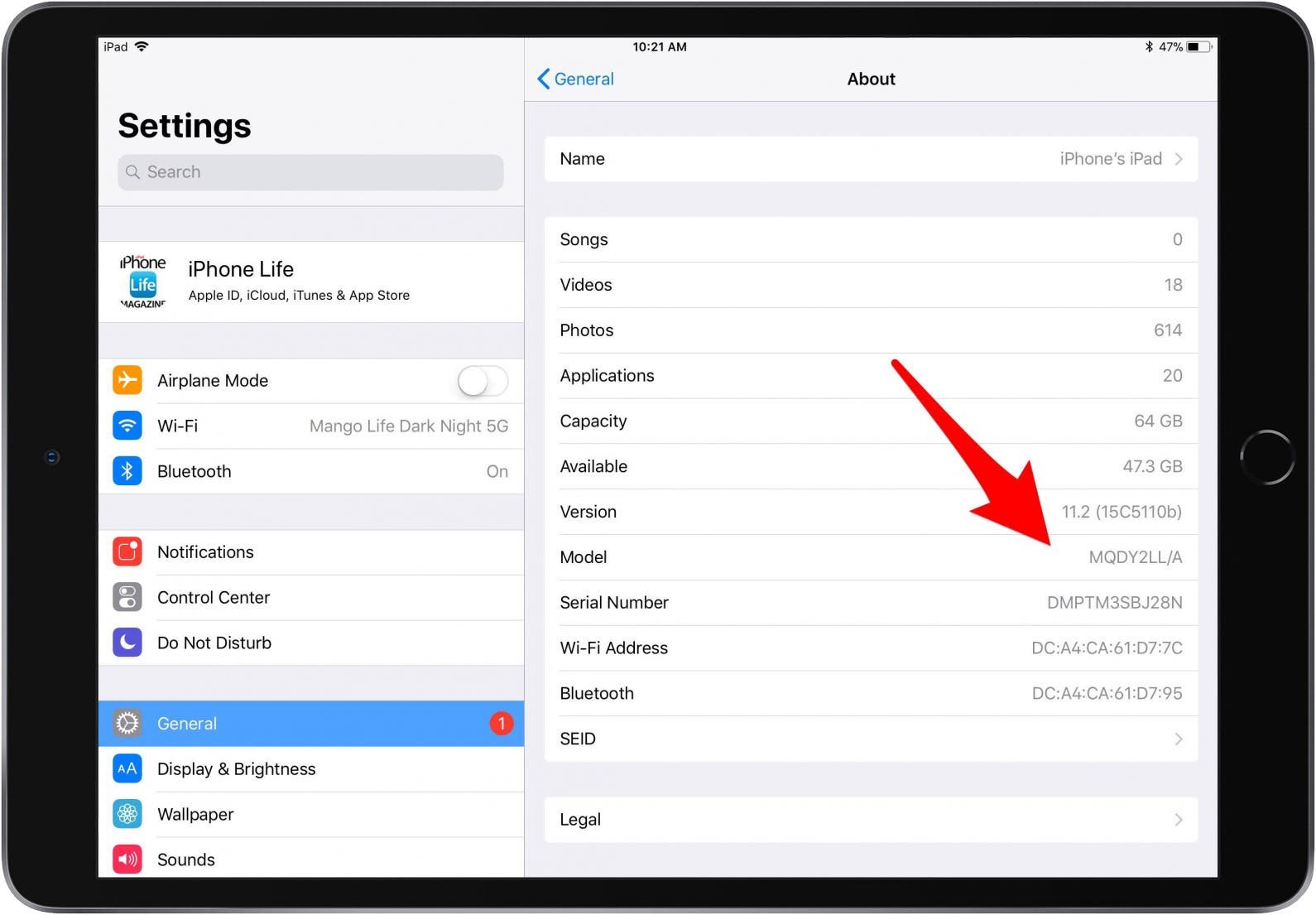
Tap on the Settings app – it looks like a gear icon, a universal symbol for “let’s tinker with things.” Once you’re in, scroll down a bit. You’re looking for something that says General. Think of this as the iPad’s main operating room. And within General, there’s a magical section called About. This is where your iPad spills all its secrets.
Right there, in bold letters, you’ll see the Model Name. Ta-da! It's like your iPad is introducing itself with a flourish. This is where you’ll see if you have the straightforward iPad (9th generation), the svelte iPad Air (5th generation), the adorable iPad mini (6th generation), or the artistic iPad Pro (12.9-inch, 6th generation). The numbers are important, folks! They tell you how many times Apple has decided to give this particular family of iPads a little glow-up. Think of it as birthdays, but with faster processors and better cameras.
How to Tell What iPad Model I Have (2023)
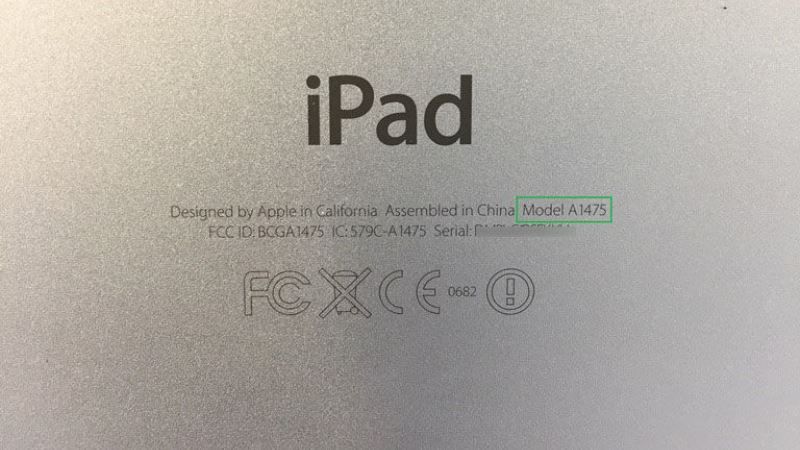
But wait, there’s more! If you’re feeling particularly adventurous, or if your iPad’s screen is a bit… well, let’s just say it’s seen better days, you can also find this information on the back of your iPad itself. Flip it over, like a beloved book, and scan the tiny text near the bottom. You'll see a word starting with "A" followed by a string of numbers. This is the Model Number. It's like a secret code, a fingerprint for your specific device. Don't worry if it doesn't immediately scream "iPad Air 5!" This number is what Apple uses internally, and you can easily look it up online. A quick search for "[your model number] iPad" will reveal its identity faster than you can say "Apple Pencil."
Sometimes, just knowing the generation can bring a smile. Maybe your iPad (7th generation) was the one that helped you learn your ABCs, or perhaps your iPad Air (2nd generation) was your portal to a thousand new recipes during a rainy weekend. Each model has witnessed its own slice of your life, its own funny moments and quiet triumphs.
How to find out what iPad you have?
It’s a funny thing, really. We get so used to these devices, they become extensions of ourselves. We barely notice the subtle differences between a 7th generation iPad and an 8th generation iPad until someone asks. But there’s a sort of heartwarming connection to be found in recognizing your specific companion. Maybe your current iPad is the one that helped you connect with family far away during a difficult time, or the one that sparked a new hobby you never thought you’d enjoy.
And if you’re thinking about upgrading, knowing what you have is like knowing your starting point. It’s the difference between saying, "I want a new car" and "I want a faster, more fuel-efficient car with more trunk space." Specificity is key, and in the world of iPads, the Model Name and Number are your guiding stars.
So, go ahead, delve into your iPad’s settings. Uncover its identity. You might just find yourself looking at this familiar device with a renewed appreciation. It’s more than just a piece of technology; it’s a vessel of memories, a tool for learning, a source of entertainment, and a silent witness to your everyday adventures. And knowing its name? Well, that’s just the first step in truly getting to know your digital best friend.