Can I Build A Wordpress Website Without Hosting

So, you've got this brilliant idea. A website! Maybe a blog about your pet rock collection. Or a portfolio for your avant-garde sock puppet theatre. Whatever it is, it needs a home. And you're thinking, "Can I build a WordPress website without, you know, paying for a place to put it?"
That's a fantastic question! It's the digital equivalent of asking if you can build a LEGO castle without buying a LEGO brick. A little bit tricky, but surprisingly, there are some fun ways to play around!
The Short Answer (and Why It's More Fun Than You Think)
Technically, to have a website that the whole world can see, you need hosting. Think of hosting as the land your website castle sits on. Without land, it's just a pile of bricks floating in the ether. Sad, right?
Must Read
But here's the cool part. You can absolutely build and play with a WordPress website without needing to book that pricey plot of digital land just yet. It's like building your LEGO castle in your bedroom. It's yours, it's awesome, and you can tinker with it all you want. Only your cat might see it, but hey, cats are tough critics!
Your Local Playground: The Power of "Localhost"
This is where the magic happens! We're talking about building WordPress locally. On your own computer. It's like having a secret workshop. Shhh!
How does this work? You install special software that mimics a web server right on your machine. This makes your computer think it's a tiny, private internet. And on this tiny internet, you can install WordPress! How's that for power?
The Tools of the Trade (Don't Worry, They're Friendly!)
There are a few superhero tools that make this local building super easy. Think of them as your friendly neighbourhood web server mascots.
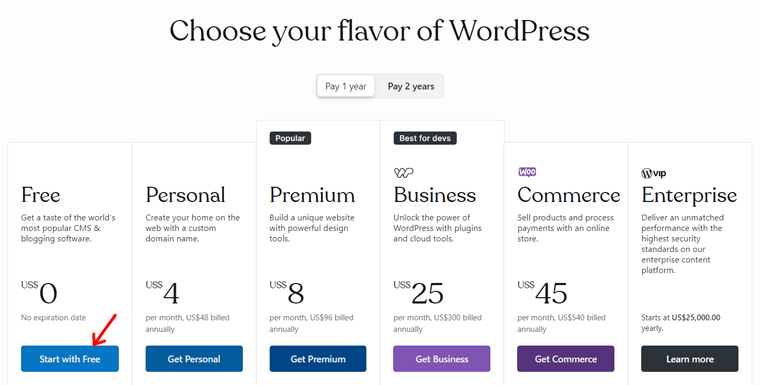
- Local by Flywheel: This one is a total rockstar. It's built for WordPress users and makes setting up local sites a breeze. Click, click, boom! You've got a WordPress install. It even handles databases and all that techy stuff for you. No need to be a wizard.
- XAMPP / MAMP: These are older, but still super reliable. XAMPP for Windows and MAMP for Mac. They bundle up Apache (the web server), MySQL (the database), and PHP (the language WordPress speaks). It's like getting a whole toolbox in one go.
- Docker: This is a bit more advanced, for the truly adventurous. Docker lets you create isolated environments for your websites. Think of it as building a super-secure, portable digital shed for your WordPress site. Very professional, very cool.
Once you've got one of these bad boys installed, you can download the latest version of WordPress and pop it into the designated folder. Then, it's just a matter of following a few simple steps. It's like putting together flat-pack furniture, but with way less frustration (hopefully!).
Why Build Locally First? It's Smart (and Fun!)
Okay, so why go through the effort of building on your computer if you eventually want it online? Glad you asked!
Practice Makes Perfect (and Prevents Catastrophes)
This is your sandbox. Your training ground. You can mess around with themes. You can install plugins. You can break things! And guess what? It doesn't matter. You can just delete it and start again. No harm, no foul.
Try out that super experimental theme that claims to make your website sing opera. Install that plugin that adds a dancing banana to every page. If it crashes your local site, who cares? Your real website (when you get one) is safe and sound.
Design Without the Dollar Signs
You can spend hours perfecting your design. Tweaking colours. Arranging widgets. Writing killer content. All without a ticking clock of hosting bills. You can even build your entire site, content and all, before you even think about going live.
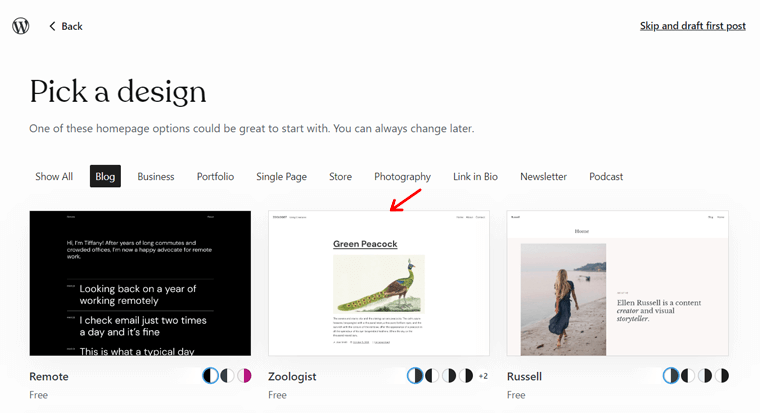
This means when you are ready to launch, you'll be launching a polished, perfected masterpiece. No last-minute scrambling. Just pure, unadulterated awesomeness. You'll feel like a digital deity.
Testing, Testing, 1-2-3
Got a new plugin you're curious about? Want to see how your latest blog post looks before everyone else does? Localhost is your testing lab. You can test everything without affecting your live site. It's the ultimate safety net.
Imagine testing a new checkout process for your online store. If it breaks, your customers aren't seeing a blank screen of doom. They're happily browsing elsewhere, oblivious to your near-disaster. Phew!
But When Do I Need Actual Hosting?
Ah, the million-dollar question! Or, rather, the few-dollars-a-month question.
You need real hosting when you want your WordPress website to be accessible to everyone. When you want people to be able to type in your website address and see your beautiful creation.
Think of it this way: building locally is like rehearsing your amazing play in your living room. You can perfect every line, every prop, every dramatic pause. But for the actual audience, you need to book a theatre. Showtime!
There are tons of hosting options out there. From super cheap shared hosting to fancy dedicated servers. For most beginners, shared hosting is a great starting point. It's affordable and usually comes with easy WordPress installation wizards.
The process of moving your locally built WordPress site to live hosting is usually quite straightforward. Most hosting providers have guides, and there are even plugins that can help you migrate your site. It's like packing up your LEGO castle and moving it to its official display case.
Quirky Little Secrets of the Web World
Did you know that many professional web developers still build all their client sites locally first? It's true! They treat their computer as their primary development environment. It's the smart way to work.

Also, sometimes when you're building locally, you might run into funny little quirks that are specific to your computer. It's like your house having a weird creaky floorboard that no one else notices. These are usually easily fixed, but they add to the charm of the process!
And speaking of charm, think about the sheer amount of creative freedom you have when building locally. You can experiment with wild ideas without the pressure of immediate public scrutiny. It's a place where your most outlandish web dreams can take flight.
So, Can You Build WordPress Without Hosting?
You can definitely build and develop a WordPress website without actual hosting. Your computer becomes your private digital playground. You can learn, experiment, and create to your heart's content.
When you're ready for the world to see your masterpiece, then you'll need to find a nice plot of digital land (hosting). But until then? Go wild! Build that sock puppet theatre website. Perfect that pet rock blog. The digital world is your oyster, and you can start shucking it right from your own desk!
It's a fun journey, full of little discoveries and the occasional "aha!" moment. So dive in, play around, and see what amazing things you can build. Your future online self will thank you for it!