How To Use A Wrist Bp Monitor

Hey there! So, you’ve got yourself one of those fancy wrist blood pressure monitors, huh? Awesome! Let's chat about how to get the most out of that little gadget. Think of me as your friendly neighborhood BP buddy, guiding you through this. No complex jargon, just good old-fashioned common sense, fueled by caffeine, of course.
First things first, why even bother with a wrist monitor? Well, if your doctor suggested it, then that’s your biggie. But also, they’re super convenient! You can take them pretty much anywhere. Stuck in traffic? Want to see how that stressful meeting really affected you? Boom, wrist monitor to the rescue. It’s like having a tiny health detective on your arm, always ready to spill the beans (or, you know, the numbers).
Now, let’s get down to business. The big question: how do you actually use this thing? It's not rocket science, promise! But a few little tricks can make sure you’re getting accurate readings. And let's be honest, what’s the point if the numbers are all over the place? That’s like trying to bake a cake with imaginary ingredients – destined for disaster!
Must Read
Pre-Game Rituals: Setting the Stage for Success
Before you even think about strapping that thing on, there are a few things you gotta do. It’s like prepping for a big exam. You wouldn’t just wing it, right? Same goes for your BP reading. We want your readings to be reliable, so let’s set the mood.
First off, sit down. Yep, that’s it. Find a comfy chair. No standing, no lounging on the couch like a king on his throne (unless that’s actually how you’ll be taking your readings regularly, which we’ll get to). You want your back supported, your feet flat on the floor, and your legs uncrossed. Think of it as a mini-meditation session. Breathe it in, breathe it out. Ahhh.
Next up: rest. Give yourself at least five minutes of chill time before you even touch the monitor. No running up and down the stairs to grab it. No frantic searches for your keys. Just… be. Let your heart rate settle. Imagine a calm, serene meadow. Or a really good episode of your favorite show. Whatever works for you!
And here’s a sneaky one: no talking. I know, I know, it’s hard. We love to chat! But while the monitor is doing its thing, keep your trap shut. Even a little “What do you want for dinner?” can throw off the numbers. So, shush! Just enjoy the quiet. It’s a rare treat these days, isn’t it?
Oh, and one more thing for your pre-game ritual: don’t have a full bladder. Seriously. It can actually affect your blood pressure. So, if you gotta go, go. It’s the ultimate unglamorous but important step. Who knew a trip to the restroom could be so vital for your health data?
Also, try to avoid caffeine, alcohol, and smoking for at least 30 minutes before you take a reading. These guys are notorious troublemakers for BP numbers. Think of them as the unruly guests at your data party. Best to keep them out!
Strapping It On: The Art of the Wrist Cuff
Okay, you’ve done your prep. You’re calm, you’re rested, you’re ready. Now, let’s get this cuff on. This is where things can get a little… finicky. But we’ll master it together!
Most wrist monitors have a cuff that wraps around your wrist. The trick is to get it on the correct wrist. Your doctor might have a preference, but generally, it’s recommended to use your non-dominant wrist. Why? Because it's usually less stressed throughout the day. Think of it as the quieter sibling.

Position the cuff so the screen is facing you. This is crucial for easy reading later. You don’t want to be doing contortions to see if your pressure is high or low. Make sure it’s snug, but not too tight. You should be able to slip a finger underneath the cuff, but not much more. It’s like a gentle hug for your wrist.
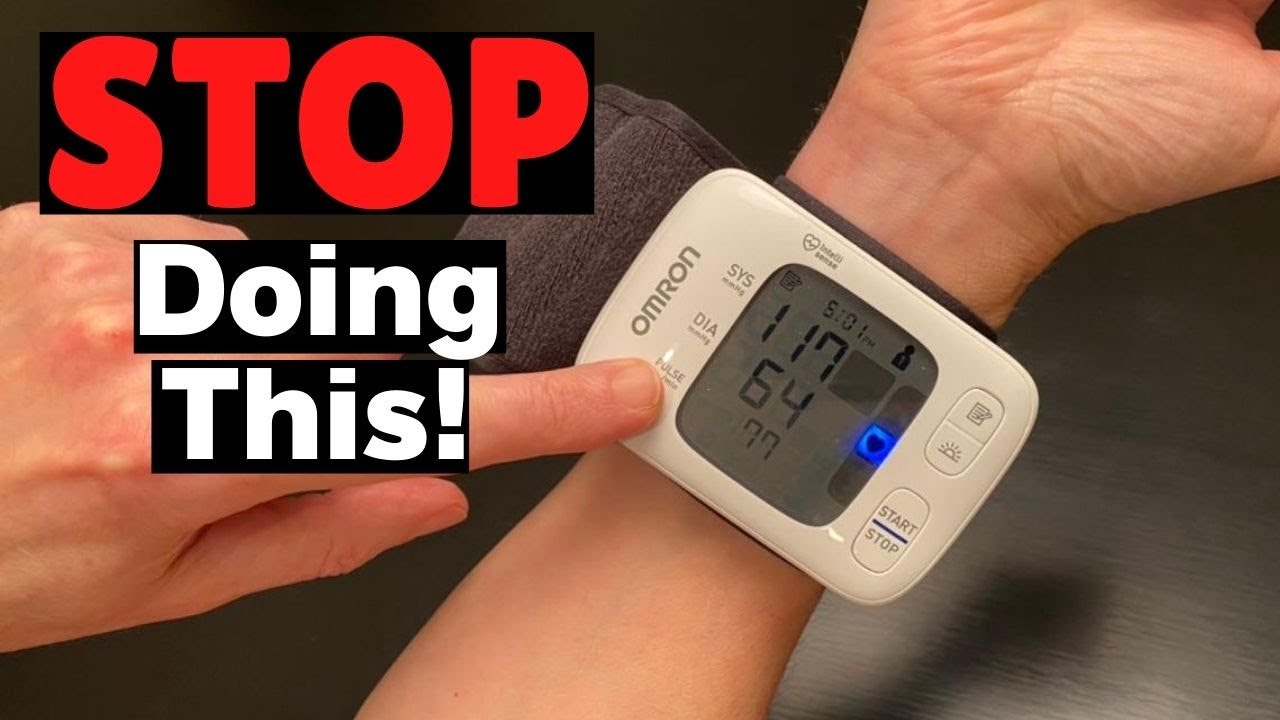
Now, the placement. This is where it gets really important. The cuff should be placed about one centimeter (or half an inch) below the crease of your wrist. So, that little bony bit on the side of your wrist? The cuff goes just below that. And the sensor (that’s the part with the little button or screen) should be on the inside of your wrist, facing your palm.
Here’s a mental picture: Imagine your wrist is a tiny arm. The cuff is a little bracelet, and the screen is like a watch face you can read. Make sense? The heart of the matter is that the monitor needs to be at heart level. This is a biggie!
The Heart of the Matter: Positioning is EVERYTHING!
This is probably the most critical step, folks. If your wrist isn’t at heart level, your readings are going to be wonky. It’s like trying to measure the height of a tree from a deep ditch – you’re going to be way off!
So, how do you get your wrist to heart level? It’s easier than you think! Sit down, relax, and bring your wrist up to your chest. You can rest your elbow on a table or your lap for support. The idea is to have the cuff, and therefore your artery, at the same height as your heart. You’ll feel it. It’s that simple. No need for a complicated contraption or a special chair. Just a little arm lift!
Think of your heart as the central command. Everything we measure needs to be relative to that. So, a little elevation goes a long way. Don’t be afraid to look a little silly holding your arm up. We’re all about the data here, right? And a little awkwardness is a small price to pay for accurate numbers.
Some monitors even have little diagrams to help you. If yours does, check it out! It’s like a cheat sheet for success. But the core principle is always the same: wrist = heart level.
Pressing the Button: Let the Magic Happen
Alright, you’re strapped in, you’re positioned perfectly. Drumroll, please… time to press the button! Most monitors have a single button to start the process. Just press it and let it do its thing.
You’ll feel the cuff inflate. It might feel a bit tight, and that’s normal. It’s just doing its job. Try to remain as still and quiet as possible. Remember our earlier chat about no talking? This is when it really counts. Even a slight twitch can mess with the readings. So, channel your inner statue.

The monitor will take a few moments to measure your blood pressure. You’ll see the numbers on the screen change. Don’t panic if they look high or low at first. It’s a process. Just let it run its course. It’s like watching a slow-motion movie of your circulatory system.
Once it’s done, the cuff will deflate, and you’ll see your systolic and diastolic numbers, along with your pulse. Ta-da! You did it!
What Do Those Numbers Even Mean? (A Quick Refresher)
Okay, so you got your numbers. But what do they mean? It’s not just about memorizing random digits. Let’s break it down super simply.
You’ll see two numbers, usually written like this: 120/80. The top number (120) is your systolic pressure. This is the pressure in your arteries when your heart beats. Think of it as the ‘push’ pressure.
The bottom number (80) is your diastolic pressure. This is the pressure in your arteries when your heart rests between beats. Think of it as the ‘rest’ pressure. It’s like the pressure when your heart is taking a breather.
And then there’s your pulse, which is just your heart rate per minute. Easy peasy!
Now, for the juicy part: what’s considered “normal”? Generally, a healthy blood pressure reading is below 120/80 mmHg. But remember, these are just guidelines. Everyone is different! Your doctor is the best person to tell you what’s normal for you. So, don’t go diagnosing yourself with hypertension after one reading!
Readings between 120-129 for systolic and less than 80 for diastolic are considered elevated. And readings of 130/80 or higher are generally considered high blood pressure (hypertension).
Again, this is just a quick overview. Your doctor will give you the personalized advice. But it’s good to have a basic understanding!

Consistency is Key: Making It a Habit
Now that you know how to use your wrist monitor, the real magic happens when you use it consistently. It’s not a one-and-done deal. Think of it like watering your plants. You gotta do it regularly to see them thrive.
Try to take your blood pressure at the same time each day. This helps you see trends and understand how your blood pressure fluctuates throughout the day and in response to different factors (like stress, diet, or exercise).
For example, some people find it best to take it first thing in the morning, before they even get out of bed (after a little rest, of course!). Others prefer it in the evening, after a day’s work. Whatever you choose, stick with it!
Keep a log. Seriously, this is your BFF. Write down your readings, the date, and the time. If you’re feeling particularly stressed or had a big meal beforehand, jot that down too. This information is gold for your doctor. It’s like a diary of your cardiovascular health.
Many modern monitors sync with apps, which is super convenient. If yours does, use it! It makes tracking a breeze and you can often share reports directly with your healthcare provider. Technology, huh? It’s pretty neat when it works for us.
When to Consult Your Doctor: Don’t Be a Lone Ranger!
While having a wrist BP monitor is fantastic for personal monitoring, it’s not a substitute for professional medical advice. If you have any concerns about your blood pressure readings, or if they are consistently high or low, you absolutely must talk to your doctor.
Don’t try to self-diagnose or make major changes to your lifestyle or medication based solely on your home readings. Your doctor has the expertise to interpret your numbers in the context of your overall health.
Also, if you experience any symptoms like chest pain, shortness of breath, severe headache, or vision changes, seek immediate medical attention. These could be signs of a more serious issue, and your BP monitor is just a tool to help you monitor, not a cure-all.
Think of your monitor as your sidekick, your little health helper. But the superhero is your doctor! Always follow their guidance.

Troubleshooting Tips: When Things Go Slightly Awry
Sometimes, things just don’t go according to plan, right? It’s life! If you’re getting erratic readings, here are a few things to double-check:
Cuff placement: Did you put it on too loose? Too tight? Too high? Too low? Go back to the “Strapping It On” section and give it another look. Precision is key here!
Body position: Was your wrist really at heart level? Did you fidget? Did you talk? Re-read the “Heart of the Matter” section and practice your statue pose. It’s all about stillness.
Movement: Did you move during the reading? Even a slight shift can throw things off. Try to stay as still as a mouse.
Battery life: Is your monitor running low on battery? Sometimes low batteries can lead to inaccurate readings. Pop in some fresh ones if you’re unsure.
Device issues: Is the monitor old? Is it damaged? If you suspect the device itself might be the problem, it might be time to consider a new one or get it checked by a professional.
If you’ve tried everything and are still getting weird numbers, don’t hesitate to call your doctor’s office. They can offer advice or even have you bring the monitor in to test it against their equipment.
So there you have it! Using a wrist BP monitor isn’t scary at all. It’s about a few simple steps and a little bit of mindfulness. With a bit of practice, you’ll be a pro in no time. And who knows, you might even start to enjoy it. Or at least, tolerate it. That’s a win, right?
Keep an eye on those numbers, chat with your doctor, and remember to breathe. You’ve got this!