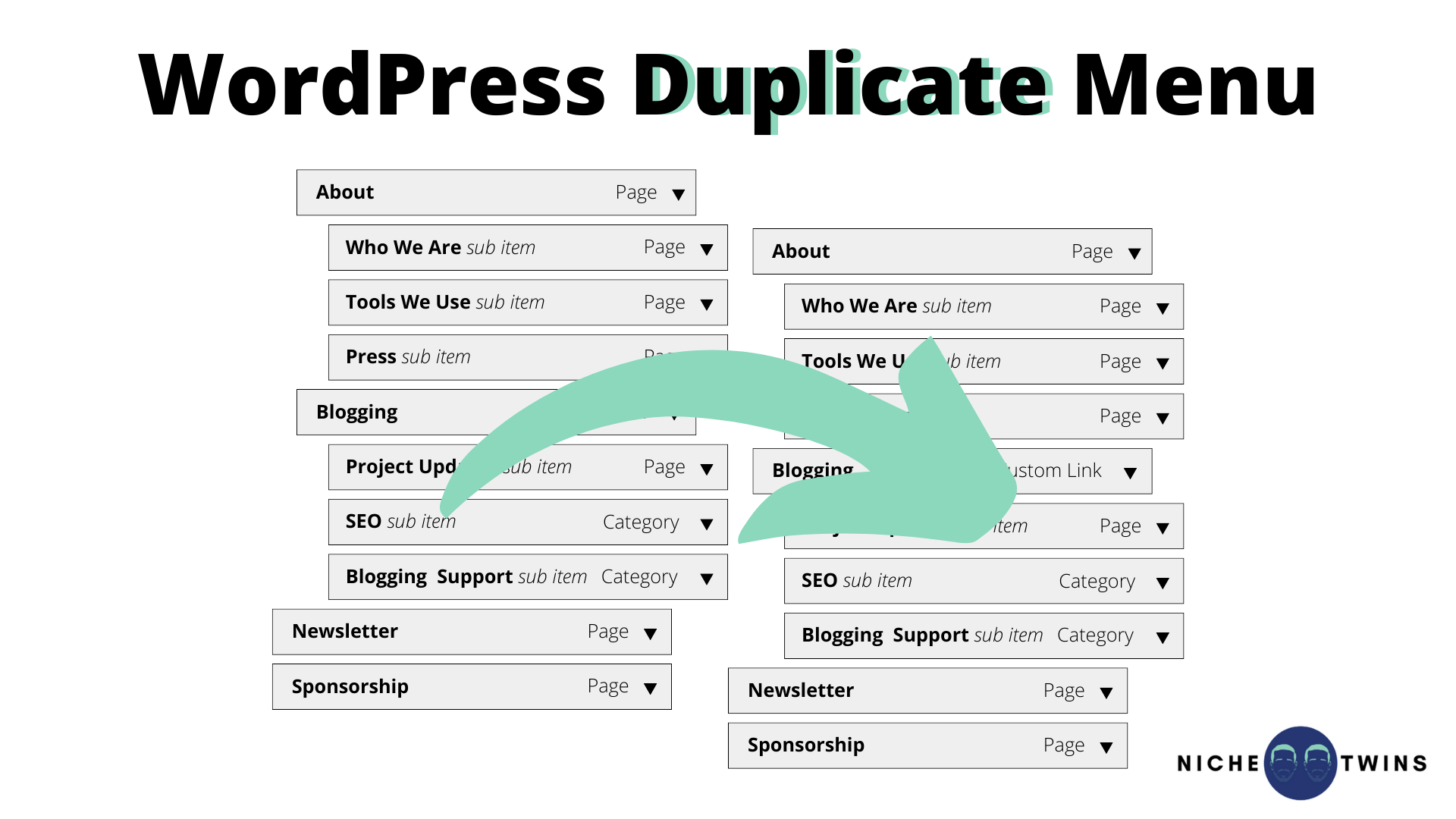
How To Duplicate A Website In Wordpress
Ever looked at a website and thought, "Wow, I wish my website looked that good!" or "Gosh, that layout is just perfect for what I'm trying to do"? Well, guess what? You're not alone! We've all been there, scrolling through the digital landscape, bookmarking pages that just sing to our creative souls. And the best part? You don't need a magic wand or a degree in web design to get a similar vibe for your own online space. Today, we're diving into the wonderful world of WordPress and how you can, believe it or not, duplicate a website you admire. Sounds a bit cheeky, doesn't it? But stick with me, because this isn't about blatant copying; it's about inspiration, learning, and ultimately, making your own digital dreams a reality. Think of it as getting a super-detailed blueprint from a master architect and then building your own, even better, masterpiece!
So, why would you even want to duplicate a website? Isn't that a bit… lazy? Nonsense! It's actually incredibly smart. Imagine you're an artist and you see a brushstroke technique you love. You practice it, you adapt it, and you make it your own. Website duplication in WordPress is the same principle, but for your online presence. It's a fantastic way to learn how things are done, to understand the underlying structure, and to get a head start on building something amazing. Plus, it can seriously speed up your workflow. Instead of starting from scratch, staring at a blank screen and wondering where to begin, you have a fantastic starting point. It's like having a cheat sheet for brilliance!
The "Why" Behind the Duplication Drive
Let's break down the motivations a little further. Maybe you're a small business owner who's seen a competitor's site that just nails the customer journey. You want that same clarity, that same easy navigation, that same professional polish. Or perhaps you're a creative freelancer, and you've stumbled upon a portfolio site that beautifully showcases an artist's work. You love the aesthetic, the way the images are presented, the clean design. Instead of trying to reinvent the wheel, you can analyze what makes that site tick and then apply those successful elements to your own.
Must Read
It's also a brilliant learning tool. WordPress is incredibly versatile, and sometimes the best way to grasp its full potential is to see it in action. By deconstructing a site you admire, you can learn about different themes, plugins, layout techniques, and even the subtle nuances of user experience that make a site truly shine. You’ll start noticing things you never did before – how menus are structured, how calls to action are placed, how the typography contributes to the overall mood. It’s like going to web design school, but with all the fun parts and none of the boring lectures!
And let's not forget the sheer joy of experimentation! Building a website can be a creative playground. If you're itching to try out a bold new design or a unique feature you saw somewhere, duplicating a similar structure can give you the confidence and the framework to play. You can then tweak, twist, and totally transform it into something uniquely you. It’s about using inspiration as fuel for your own creativity, not just for imitation.
Okay, So How Do We Actually Do This Magical Thing?
Alright, so you’re convinced! You’re ready to embark on this exciting journey of website replication in WordPress. Great! Now, let’s talk about the nuts and bolts. It’s important to understand that when we talk about "duplicating a website," we're not talking about stealing someone's content (please, never do that – that’s a big no-no and can have serious consequences!). We’re talking about replicating the structure, the design elements, the layout, and the functionality. Think of it as building a similar house on a different plot of land with your own personal touches.
There are a few common approaches, and the best one for you will depend on your comfort level with WordPress and the complexity of the site you're aiming to replicate. We’ll explore the most popular and effective methods, so you can pick the one that feels right for your adventure.
Method 1: The Plugin Powerhouse
This is probably the most user-friendly and popular method for most folks. WordPress plugins are like handy little helpers that extend the functionality of your website. And for duplicating sites, there are some absolute gems out there.
One of the most well-known and effective is the Duplicator plugin. Now, don't let the name fool you into thinking it’s just for copying your own site. While it's fantastic for backups and migrations, it can also be used to replicate the structure and design of a theme you love. The general idea is this: you install a theme that closely resembles the one you want to emulate. Then, you use the Duplicator plugin to create a package of your entire site – all the files, the database, everything. You then download this package.
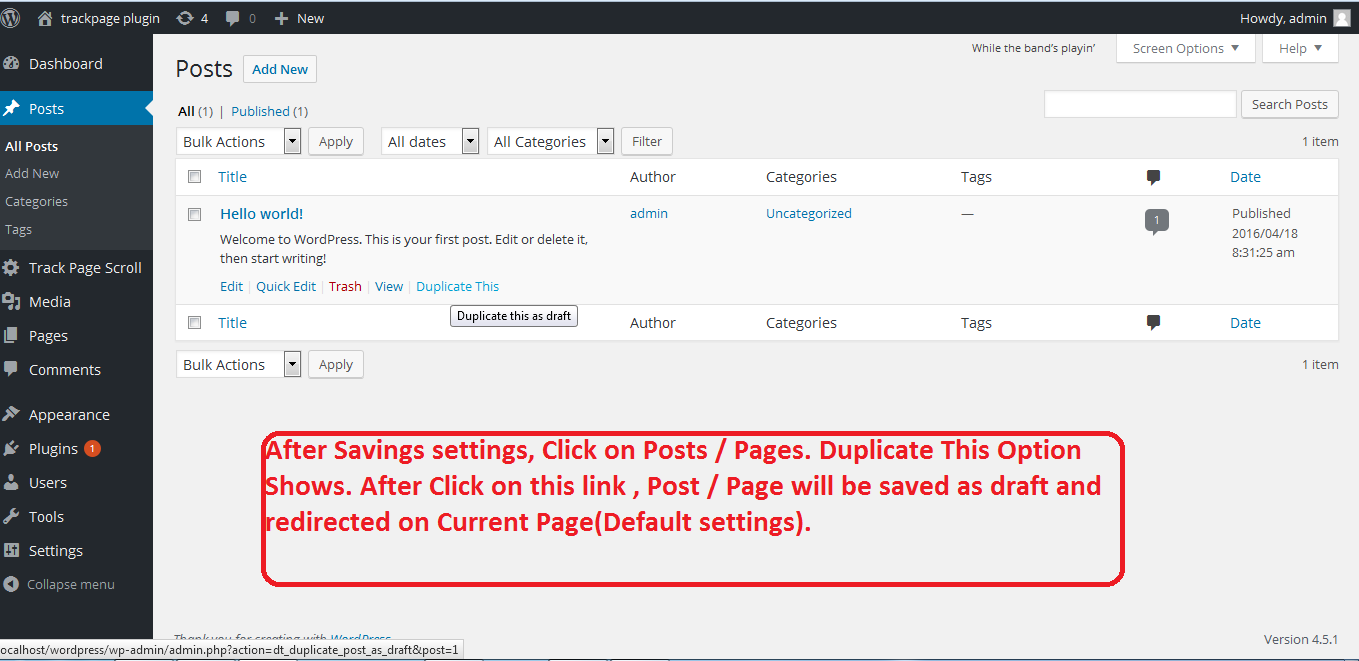
Now for the clever bit: you can install this package on a fresh WordPress installation (perhaps on a local server for testing, or a staging environment). What you’ve effectively done is created an exact replica of your starting site. From there, you can go in and change the content, swap out images, and tweak the colors and fonts to match your vision. It's like getting a perfectly assembled LEGO set and then painting it your favorite colors!
Another excellent option is to look for plugins that are specifically designed for importing demo content from themes. Many premium WordPress themes come with pre-built demos that you can import with a single click. If you find a theme that has a demo layout you absolutely adore, this is the quickest way to get that structure in place. You then replace the demo content with your own. It’s an incredibly efficient way to jumpstart your design process.
Method 2: The Theme Detective Work
This method is a little more hands-on but can be incredibly rewarding for understanding the underlying mechanics of WordPress.
First, you need to be a bit of a detective. When you visit a website you admire, can you figure out what theme they’re using? There are browser extensions and online tools that can help you with this. Once you identify the theme, you can search for it. If it’s a premium theme, you might need to purchase it. If it's a free theme, you can install it directly from the WordPress theme directory.
Once you have the theme installed, you can start customizing it. You’ll be using the WordPress Customizer and potentially page builder plugins (like Elementor or Beaver Builder, which are fantastic for drag-and-drop design) to recreate the layout you saw. This involves paying close attention to how sections are arranged, what fonts are used, what colors are applied, and where the buttons and calls to action are placed.
This method is fantastic for learning about theme structures and the power of page builders. You’re essentially reverse-engineering the design, and in the process, you’ll learn a ton about how WordPress themes are built and how to manipulate them to your will. It's like learning to cook by carefully observing a master chef and then practicing their techniques yourself.
The "Don't Forget" List: Ethical Considerations and Content
Now, before you get too carried away with your website-duplication adventure, let’s have a quick chat about being a good digital citizen. Never, ever copy content – text, images, videos, or anything else – directly from another website without explicit permission. This is plagiarism, it's illegal, and it's just not cool. Your content should be original and reflect your own voice and message.

The goal here is to replicate the structure and the design aesthetic to inspire your own creation, not to steal someone else's hard work. Think of it as borrowing the blueprint, not the furniture! You’re building your own unique home with your own unique belongings.
So, what do you do with the structure you’ve replicated? You fill it with your own unique voice, your engaging content, and your own beautiful images. This is where your creativity truly shines. You can adapt the layout to better suit your specific needs, change the colors to match your brand, and infuse it with your personality. This is the part that makes it your website, not just a copy.
Embrace the Journey, Inspire Your Future
Duplicating a website in WordPress might sound intimidating at first, but as you can see, it's an accessible and incredibly powerful way to learn, grow, and build a stunning online presence. Whether you’re a seasoned WordPress pro or a complete beginner, these methods offer a clear path to achieving your website dreams.
Remember, this process is all about learning and adaptation. It's about using the brilliance of others as a springboard for your own innovation. So, go forth, explore, experiment, and don’t be afraid to get a little creative. The digital world is your oyster, and with a little bit of know-how and a lot of inspiration, you can build something truly magnificent. Happy duplicating, and even happier creating!

![How To Duplicate Page and Post In WordPress [The Easy Way]](https://geekcodelab.com/wp-content/uploads/2023/03/How-Use-Duplicate-Page-and-Post-Plugin-to-Save-Your-Time-and-Effort-1536x864.jpg)