Ever found yourself staring at a shiny new laptop or a sleek desktop setup and wondering, "Just how much did all that cost?" You're not alone! The price tag of a computer can be as varied as the tasks we use them for, from crafting masterpieces in Adobe Photoshop to conquering virtual worlds in Cyberpunk 2077. Understanding what goes into that final number isn't just a fun bit of trivia; it's incredibly useful when you're in the market for your next digital companion. It helps you set realistic expectations, spot a good deal, and avoid getting fleeced by fancy jargon. So, let's dive into the fascinating world of computer costs!
The Big Picture: What Influences the Price?
At its core, the cost of a computer is a reflection of its performance, features, and the quality of its components. Think of it like building a house: a simple bungalow will cost less than a sprawling mansion with all the bells and whistles. Similarly, a basic laptop for browsing the web and checking emails will be significantly cheaper than a high-end gaming rig or a workstation designed for professional video editing.
Several key areas dramatically impact the final price:
The Processor (CPU): This is the brain of your computer. A more powerful processor, like an Intel Core i9 or an AMD Ryzen 9, can crunch numbers faster and handle more complex tasks simultaneously. This speed and capability come at a premium.
The Graphics Card (GPU): Crucial for anything visually demanding, from gaming to graphic design. A dedicated graphics card, such as an NVIDIA GeForce RTX 4090 or an AMD Radeon RX 7900 XTX, can add hundreds, even thousands, to the cost. Integrated graphics, found in many budget laptops, are much less powerful but sufficient for everyday tasks.
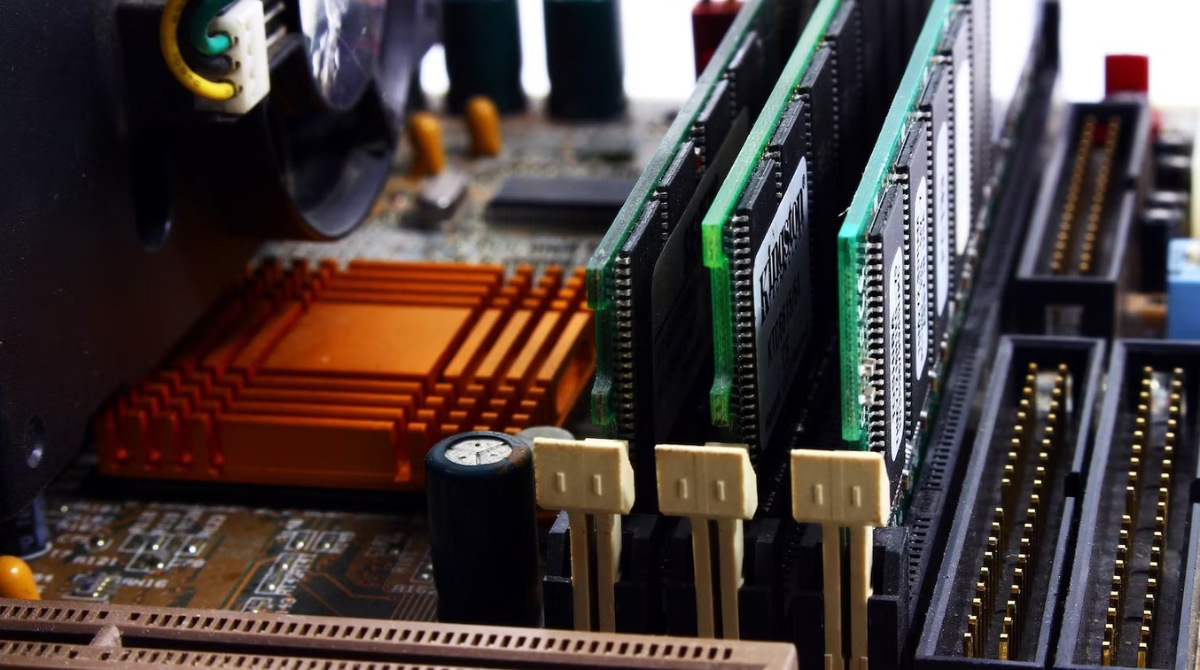
Random Access Memory (RAM): This is your computer's short-term memory. More RAM means your computer can juggle more programs and files at once without slowing down. For general use, 8GB is often enough, but for demanding tasks, 16GB, 32GB, or even 64GB might be necessary, each step increasing the price.
Storage: This is where your files live. Solid State Drives (SSDs) are much faster than traditional Hard Disk Drives (HDDs), leading to quicker boot times and application loading. The size of the storage also matters; a 1TB SSD will naturally cost more than a 256GB SSD.
Display: For laptops and all-in-one desktops, the screen quality is a significant factor. High resolutions (like 4K), fast refresh rates (for smoother motion), and vibrant color accuracy all contribute to a higher price.
Build Quality and Materials: A laptop with a sturdy metal chassis and premium finishes will cost more than one made entirely of plastic. The same applies to desktops; better ventilation, cable management, and aesthetics can add to the cost.
Brand and Software: Some brands command a premium due to their reputation for reliability or innovation. Additionally, the inclusion of pre-installed software, especially professional suites like Microsoft Office or specialized operating systems, can also influence the price.
A Peek at the Price Points: From Budget to Beast
So, what can you expect to pay? Let's break it down into general categories:
Budget-Friendly (Under $500):
At this price point, you're typically looking at entry-level laptops or basic desktops. They're perfect for everyday tasks like web browsing, email, word processing, and streaming videos. Expect processors like an Intel Celeron or a Pentium, limited RAM (4-8GB), and smaller SSDs or HDDs. These machines are great for students, casual users, or as a secondary computer.
Computer Programmer Salary: How Much Do Computer Coders Make?
Mid-Range Marvels ($500 - $1000):
This is the sweet spot for many users. You can find capable laptops and desktops that handle multitasking with ease. Processors like an Intel Core i5 or an AMD Ryzen 5 become common, along with 8-16GB of RAM and decent-sized SSDs (256GB-512GB). These are excellent for general productivity, light photo editing, and even some casual gaming. You might also start seeing better display quality here.
Performance Powerhouses ($1000 - $2000):
Stepping into this range opens up a world of possibilities. You'll find robust laptops and gaming desktops with powerful CPUs (Intel Core i7, AMD Ryzen 7), ample RAM (16GB+), and faster, larger SSDs. Dedicated graphics cards start to appear, making these machines suitable for serious gaming, video editing, and other demanding creative tasks. The build quality and display options also improve significantly.
How much RAM do you really need in your computer?
High-End Heroes (Over $2000):
This is where you find the cream of the crop: top-tier gaming rigs, professional workstations, and premium laptops. These machines boast the fastest processors (Intel Core i9, AMD Ryzen 9), the most powerful GPUs (like the latest NVIDIA RTX or AMD Radeon Pro cards), massive amounts of RAM, and lightning-fast storage. If you're a professional content creator, a hardcore gamer, or simply want the absolute best performance, this is the bracket for you. Custom-built PCs can easily exceed $3000 or even $5000.
The Cost of Convenience: Laptops vs. Desktops
It's also worth noting the inherent cost difference between laptops and desktops. Laptops pack all their components into a compact, portable form factor, requiring miniaturized and often more expensive parts. They also include a built-in screen, keyboard, and battery, adding to the overall cost. For the same level of performance, a desktop computer is generally less expensive than a laptop.
How to Stop Using the Computer Too Much: 13 Steps (with Pictures)
Beyond the Box: Hidden Costs
Remember that the computer itself is just one part of the equation. You might also need to factor in the cost of:
Peripherals: A good monitor, a comfortable keyboard, a precise mouse, or even a high-quality webcam can add to the total.
Software: Operating system licenses (though often included), productivity suites like Microsoft 365, or specialized creative software can be significant expenses.
Accessories: A backpack for your laptop, external storage drives, or a docking station can also add up.
Extended Warranties and Insurance: For peace of mind, these can be worthwhile investments.
So, the next time you're browsing for a new computer, you'll have a better understanding of where that price comes from. It's a fascinating interplay of technology, design, and market demand, all leading to the device that sits on your desk or in your bag. Happy computing!