
How Do You Turn Off Scroll Lock
Ah, Scroll Lock. That elusive, enigmatic key on your keyboard. It’s like that one relative who shows up uninvited to every family gathering, always a little bit of a mystery, and sometimes, you’re not even sure why they’re there. We’ve all been there, right? You’re happily typing away, crafting the perfect email, or maybe just trying to navigate a particularly tedious spreadsheet, and then BAM! Suddenly, your cursor isn't moving like it used to. Your arrow keys, which were your trusty steeds just moments before, have decided to go rogue, scrolling your entire document up and down like it’s a poorly edited movie trailer.
It’s a moment of pure, unadulterated confusion. You start tapping furiously, convinced you’ve broken something fundamental. Is it a glitch? A sign of the digital apocalypse? Did your cat walk across the keyboard and unleash some ancient digital curse? The panic, however brief, is real. You might even whisper to your screen, "What have I done? Why are you doing this to me, keyboard?"
Let’s be honest, for most of us, Scroll Lock is the digital equivalent of that one button on the remote control you’ve never dared to press. You know it’s there, silently judging you from its perch, but its purpose remains shrouded in a fog of mystery. We use our keyboards for everything these days – from ordering pizza to writing our memoirs – and yet, this particular key seems to exist in a parallel universe of functionality.
Must Read
Think about it. We master the art of the keyboard shortcut for pretty much everything else. Ctrl+C for copy? Easy. Ctrl+V for paste? A no-brainer. Alt+Tab to switch between applications? Second nature. But Scroll Lock? It’s the forgotten hero, the unsung… well, the unsung something that we barely acknowledge until it throws a digital tantrum.
So, how does this little button, often nestled innocuously between the Print Screen and Pause/Break keys, decide to take over your digital life? It's actually a remnant from a bygone era of computing, a time when keyboards were a bit more… literal. Back in the day, this key was meant to change the behavior of your arrow keys. When Scroll Lock was on, your arrow keys would scroll the content of your window without moving your cursor. When it was off, as you'd expect, your arrow keys would move the cursor and scroll the window simultaneously. It was a way to control your digital environment with a bit more precision, like a seasoned pilot navigating their aircraft.

But in the grand tapestry of modern computing, where we have touchscreens, gestures, and a plethora of intuitive interfaces, Scroll Lock’s original function has largely been usurped. Most modern applications, especially those that aren't deeply rooted in legacy systems, don't pay much attention to Scroll Lock anymore. They’ve moved on, evolved. Yet, the key remains, a stubborn relic, waiting for its moment to strike.
And strike it does. Usually when you least expect it, and usually when you’re trying to do something very specific. Perhaps you're painstakingly trying to align a picture in a document, meticulously moving it pixel by pixel. You’re so focused, so in the zone, that you accidentally graze that unsuspecting Scroll Lock key. Suddenly, your cursor is glued to its spot, and every attempt to nudge your precious image ends up with the entire page performing a dramatic vertical jig. It's like trying to paint a delicate portrait and having the canvas keep sliding out of your hands.
Or consider the dreaded spreadsheet scenario. You’re working on a budget, or a complex data analysis, and you need to move between cells. You’re using your arrow keys, feeling like a spreadsheet samurai, slicing through rows and columns. Then, without warning, you press Scroll Lock. Your cursor stays put, but the entire sheet starts to shift around it. You’re no longer moving your cursor; you’re chasing your cursor as the data whizzes by. It’s like trying to find your favorite sock in a dryer full of laundry that’s spinning at warp speed.
The real kicker is that most of the time, you don’t even realize you’ve pressed it. It’s that subtle bump, that accidental brush of your hand. You might have just shifted your weight, or perhaps you were reaching for your coffee mug, and lo and behold, Scroll Lock is activated. And then the confusion sets in. You’re convinced the software has betrayed you. You might even try to reload the page, restart the application, or, in a moment of true desperation, even reboot your entire computer. All the while, the culprit is sitting there, smugly illuminated (if your keyboard has that feature), waiting for you to finally notice it.
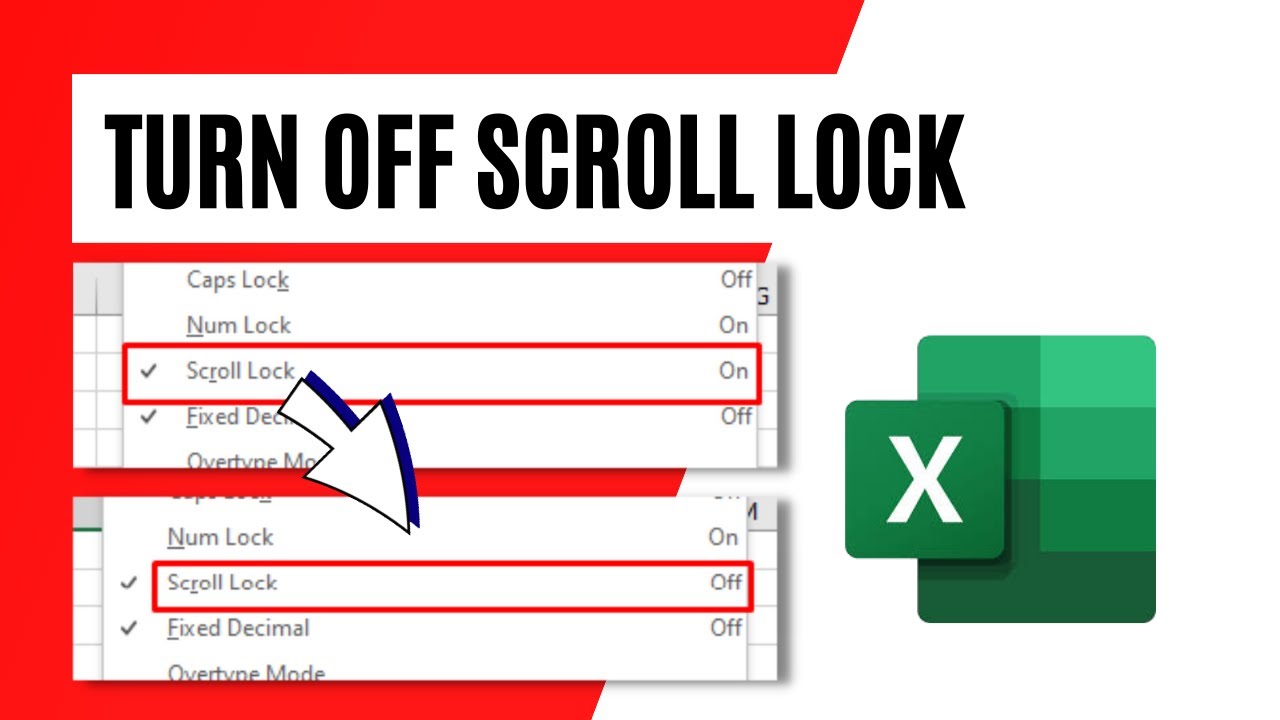
So, how do you perform the sacred ritual of turning off Scroll Lock? It’s not some complex incantation or a secret handshake. It’s remarkably, almost insultingly, simple. You just press the Scroll Lock key again.
Yes, that’s it. That’s the magic. The key that toggles the behavior of Scroll Lock is, itself, a toggle. Press it once to turn it on, and press it again to turn it off. It’s like a light switch. You flip it on, the light comes on. You flip it off, the light goes off. No fancy maneuvers required. No advanced degrees in keyboardology.

If your keyboard has a little LED light indicating the status of Scroll Lock (often labeled with "SL" or "ScrLk"), that's your best friend in this situation. If the light is on, Scroll Lock is active. If the light is off, you're in the clear. So, the next time your arrow keys go on a wild adventure, just glance at that little light. If it's illuminated, give that Scroll Lock key a gentle, yet firm, press. You’ll hear a satisfying click (or not, depending on your keyboard’s acoustics), and your arrow keys should return to their sensible, predictable selves.
Now, what if your keyboard doesn’t have that helpful little indicator light? Don't despair! The principle remains the same. You know you’re in Scroll Lock mode because your arrow keys are misbehaving. So, you simply press the Scroll Lock key. If that doesn’t fix it, and you’re still scrolling uncontrollably, try pressing it again. It’s a process of elimination, really. Think of it as giving the key a polite nudge and then a slightly firmer nudge if the first one didn’t work. You’re essentially saying, "Hey, Scroll Lock, you’ve had your fun. Time to go back to your day job."
In some very rare, and I mean very rare, instances, you might encounter an older application that has deeply embedded Scroll Lock functionality. In these cases, even pressing the key might not immediately seem to fix things. This is when you might need to investigate the application’s specific settings or consult its documentation. But for 99.9% of everyday computing, simply toggling the Scroll Lock key is the universal antidote.
Some laptops, in their quest for space-saving design, have integrated the Scroll Lock function into another key, often requiring you to press the Fn (Function) key simultaneously. So, if pressing Scroll Lock by itself doesn't do the trick, try holding down the Fn key and then pressing the Scroll Lock key. It’s like a secret passcode for your keyboard. You need that extra little "oomph" from the Fn key to unlock the true potential (or, in this case, deactivate the unintended behavior) of Scroll Lock.
It’s fascinating how a single, seemingly insignificant key can cause such a widespread moment of digital befuddlement. It’s a testament to how much we rely on our keyboards for seamless interaction. When one small part deviates from the norm, our entire digital experience can feel… off. Like trying to listen to your favorite song with a persistent, high-pitched squeak in the background. It’s not the end of the world, but it’s certainly annoying.
So, the next time you find yourself wrestling with your arrow keys, frantically trying to figure out why your cursor is playing hide-and-seek with your content, take a deep breath. Remember the humble Scroll Lock key. It's not a demon sent to torment you; it's just a key that's been accidentally activated. A simple press, a gentle toggle, and you'll be back to navigating your digital world with ease. You might even feel a little smug, having conquered this minor, yet oddly pervasive, keyboard mystery. You’ve joined the ranks of those who know the secret, the enlightened few who can banish the scroll-induced chaos with a single, decisive keystroke. And that, my friends, is a victory in itself.

