How To Setup Google Alerts
Hey there, coffee buddy! Ever feel like you’re missing out on, like, everything? The internet is HUGE, right? And trying to keep up with every little mention of your favorite band, that super niche hobby you’re obsessed with, or even just your own name can feel like herding cats. Seriously, impossible.
Well, what if I told you there’s a super chill, totally free way to have the internet bring cool stuff to you? Sounds like magic, but it’s actually just Google Alerts. Yep, that’s right, good ol’ Google to the rescue, again! It’s like having your own personal internet scout, always on the lookout. Pretty neat, huh?
So, what are Google Alerts? Think of them as little digital whispers. You tell Google what you want to hear about, and it’ll send you an email when it finds new stuff. Easy peasy. No more endlessly refreshing pages like a maniac, hoping for an update. You can actually go live your life! Shocking, I know.
Must Read
Let’s say you’re a massive fan of, I don’t know, artisanal cheese. Or maybe you’re secretly training your hamster to become a competitive dancer. Whatever your passion, Google Alerts can help you track it. It’s not just for famous people or big companies, oh no. This is for you. For your weird and wonderful interests.
Setting them up is ridiculously simple. Seriously, even your tech-averse aunt could do it. Probably. Okay, maybe with a little guidance, but it’s that easy. We’re talking a few clicks and you’re on your way to becoming an information ninja. A very well-informed ninja, but still, a ninja.
First things first, you’ll need a Google account. If you don’t have one, what are you even doing on the internet? Kidding! But seriously, it’s super quick to set up if you haven’t already. Once you’re logged in, you’re ready to dive in.
Just head over to the Google Alerts website. It’s not some secret underground lair; it’s just google.com/alerts. See? Told you it was easy. No need for cryptic passwords or hidden portals. Just good old Google, being accessible.
Now, the fun part: deciding what to track. This is where your inner detective (or just your inner fan) gets to shine. You’ll see a little search bar. This is your playground. Type in whatever you want to keep an eye on. Let’s get specific, shall we?
Are you really into that band, "The Llama Llamas"? Type that in. Are you curious about the latest breakthroughs in competitive synchronized swimming? Pop that in. Maybe you just want to know when your favorite local coffee shop posts a new menu item. You can do that too! The possibilities are, dare I say it, endless.
Here’s a pro tip, from me to you: Be specific, but not too specific initially. If you just type "cheese," you'll get alerts for every mention of cheese on the planet. Which, honestly, might be overwhelming even for the most dedicated cheese lover. But if you type "artisanal cheddar from Vermont," now we’re talking!
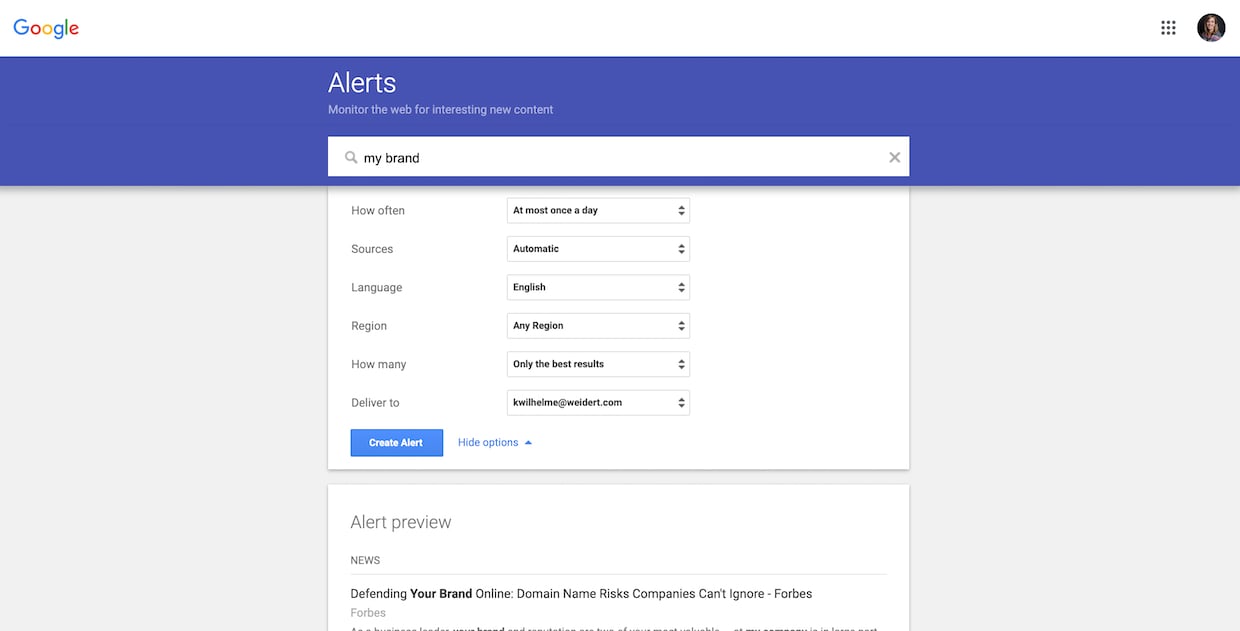
Once you’ve typed in your search term, hit that little search button or just press enter. Google will then give you a little preview of what it thinks you’ll get. It’s like a sneak peek into your future internet notifications. Pretty cool, right?
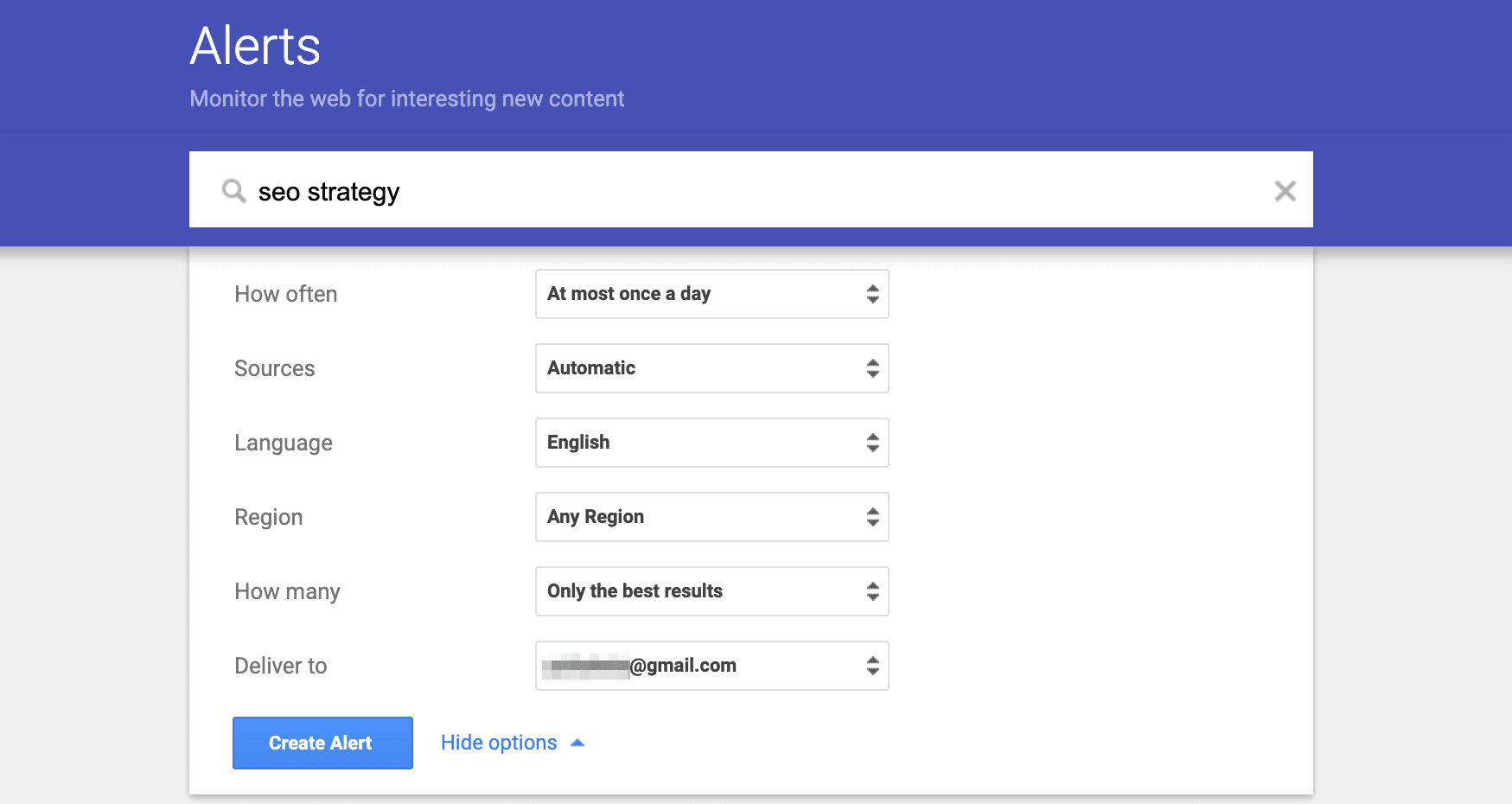
Below the search results, you’ll see a few options. These are your customization controls, your levers of power. The first one is usually "How often?". You can choose to get alerts "As-it-happens" (which, fair warning, can be a lot), "Once a day," or "Once a week." For most people, "Once a day" is the sweet spot. It’s like a daily digest of your chosen topics. No information overload, just a gentle nudge.
Then there's "Sources." This is where you can decide where Google should look for your information. You can stick with "Automatic," which is pretty darn good, or you can be more specific. Want only news articles? Or maybe just blog posts? You can even choose to include or exclude things like "news," "blogs," "web," "books," "video," and "discussions." Play around with this! It’s your alert, your rules.
Next up: "Languages." This one’s pretty straightforward. Google will try to find content in the language you specify. If you’re a polyglot with a passion for, say, French poetry about pigeons, this is your friend. Otherwise, stick with your native tongue!
And then there’s "Region." This is super handy if you’re tracking something local. Want to know about every new vintage clothing store opening in your neighborhood? Set the region to your city or even your country. It's like having a local news ticker for your specific interests.
Finally, the "How many?" option. This lets you choose between "Only the best results" and "All results." For most things, "Only the best results" is the way to go. Google’s pretty smart, and it’ll filter out the junk for you. You don’t want to be buried in irrelevant articles, do you? No, you want the good stuff.
Once you’ve tweaked all your settings, hit that big, beautiful "Create Alert" button. And poof! You’ve just set up your first Google Alert. Congratulations, you’re now officially a master of your digital domain. Or at least, a slightly more informed one.
So, what else can you do with this magical tool? Oh, the possibilities are practically endless. Let’s brainstorm some fun ones.
For the budding entrepreneur: Want to know when a competitor launches a new product? Or when there’s buzz about a new trend in your industry? Set up alerts for your competitors’ brand names or relevant industry keywords. Stay ahead of the game, my friend!
For the job seeker: Keep an eye on companies you’re interested in. Get alerts when they post new job openings. This is way better than constantly checking their careers page. It’s proactive job hunting, and it’s the future!
For the proud parent: Want to see every adorable picture your kid’s school posts online? Or maybe track mentions of your child’s name if they’re in a school play? You can do it! (Just be mindful of privacy, of course.)
For the diligent student: Keep track of new research papers or news articles related to your thesis topic. It’s like having a research assistant who never sleeps. Handy, right?
For the celebrity stalker… I mean, fan: This is probably the most obvious one. Want to know every time your favorite actor does an interview or your favorite musician releases a song? Google Alerts is your best friend. You’ll be the first to know. You’ll be the most informed fan. Imagine the bragging rights!
For the local enthusiast: Track mentions of your favorite local restaurant, your town’s historical society, or even that quirky bookstore you love. Support local, and stay in the loop!
For the self-marketer (you know who you are): Type in your own name. See what people are saying about you online. It’s good to know your reputation, right? And if you’re famous (or about to be!), this is essential. Think of it as an early warning system.
For the bargain hunter: Set up alerts for product names you’re looking for, especially if you’re waiting for a sale. You might just snag a sweet deal!
For the truly dedicated hobbyist: Obsessed with knitting intricate sweaters for miniature poodles? Or perhaps you're an expert in identifying rare types of moss? Whatever it is, Google Alerts can connect you with new information and discussions. You might even find your tribe!
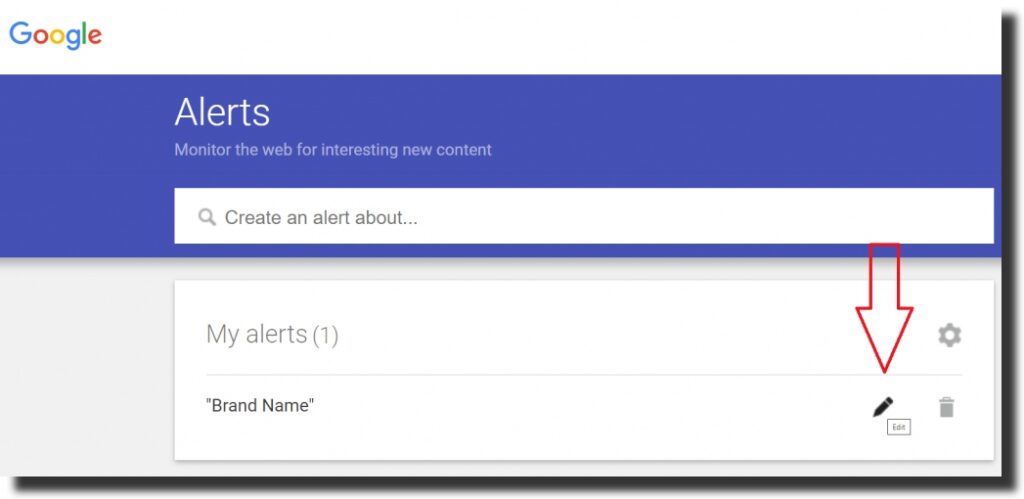
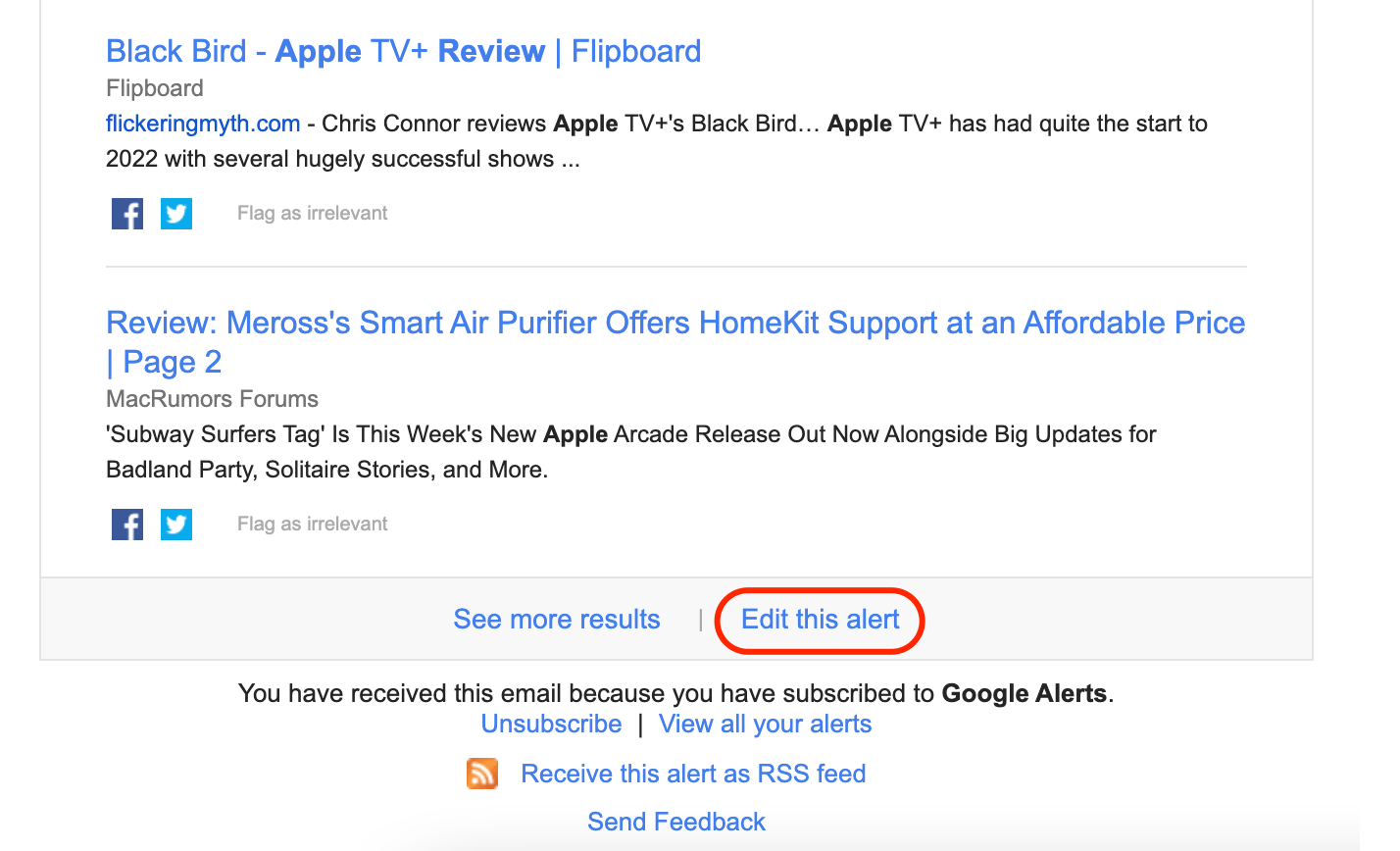
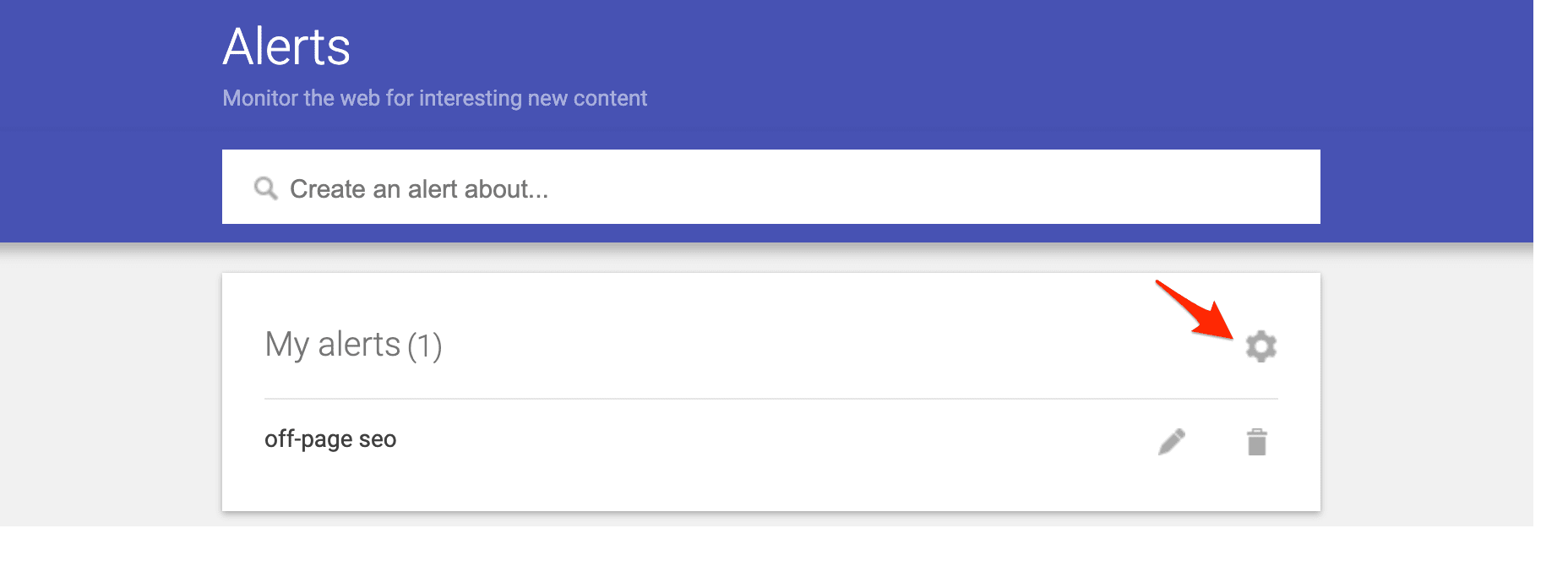
Remember, you can manage all your alerts from that same Google Alerts page. You can edit them, pause them, or delete them if your interests change. It’s not a lifelong commitment, though setting up a few long-term ones for your core passions is a great idea.
One of the best things about Google Alerts is that it keeps you informed without you having to actively search. It’s like passive learning, but way more fun. You’ll stumble upon articles you might never have found otherwise. It’s a treasure trove of information, delivered right to your inbox.
And the best part? It’s free! Zilch. Nada. Free as in "free beer" and "free speech." Google is giving you this awesome tool for absolutely nothing. So, there’s really no excuse not to give it a try, is there?
Think about it: instead of spending hours sifting through the endless ocean of the internet, you can spend those hours doing things. Or, you know, enjoying another cup of coffee. Because, let’s be honest, that’s also important.
So go on, be brave. Head over to google.com/alerts. Log in, type in something you love, and hit create. You might be surprised at what you discover. You might become the most knowledgeable person in the room about, well, anything! And that, my friend, is a powerful thing. Now, about that second cup of coffee…