How To Convert Website Into Mobile App
Ever scrolled through your favorite online boutique, eyeing that perfect dress, only to realize you’re juggling your phone and laptop, wishing for a smoother, more integrated experience? Or perhaps you’re a business owner, your website a beautifully crafted digital storefront, but you feel it’s missing that certain… oomph that a dedicated app could bring? We get it. In this fast-paced, swipe-happy world, the line between web and mobile is blurring faster than a TikTok dance challenge. And converting your trusty website into a sleek, user-friendly mobile app might sound like a monumental task, something reserved for tech wizards in hushed, dimly lit server rooms. But guess what? It’s more accessible than you might think, and frankly, it’s about time your online presence got a little glow-up.
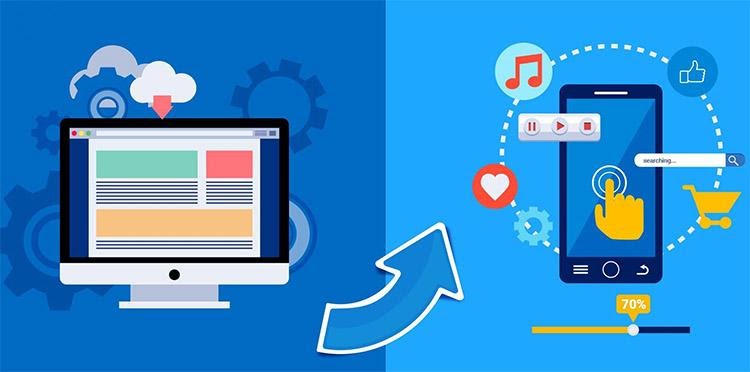
Think of it like this: your website is your amazing, sprawling mansion, filled with all the wonders and delights you want to share. Your mobile app? That’s your chic, minimalist apartment in the heart of the city – curated, convenient, and always at your fingertips. It’s about bringing your best bits, your most important content, your killer features, right into the palm of your potential customers’ hands. No more fumbling with browsers, no more resizing text. Just pure, unadulterated access.
The "Why" Behind the "How"
Before we dive headfirst into the “how,” let’s nail down the “why.” Why go through the effort of creating an app when you already have a perfectly functional website? Well, the benefits are pretty compelling. For starters, mobile apps offer a superior user experience. They’re designed for the specific constraints and capabilities of mobile devices, meaning faster loading times, intuitive navigation, and often, offline access to certain content. Remember the dial-up days? We’ve come a long way, and app users expect that same instant gratification.
Must Read
Then there’s the matter of engagement. Push notifications are the modern-day town crier, alerting users to new arrivals, special offers, or important updates. Think of that delightful ping when your favorite streaming service drops a new season of that show you’ve been binge-watching. That’s the power of the app. Apps also foster a sense of loyalty and brand recognition. Having your icon on someone’s home screen is like having a permanent billboard. It’s a constant, subtle reminder of your presence, your brand, your value.
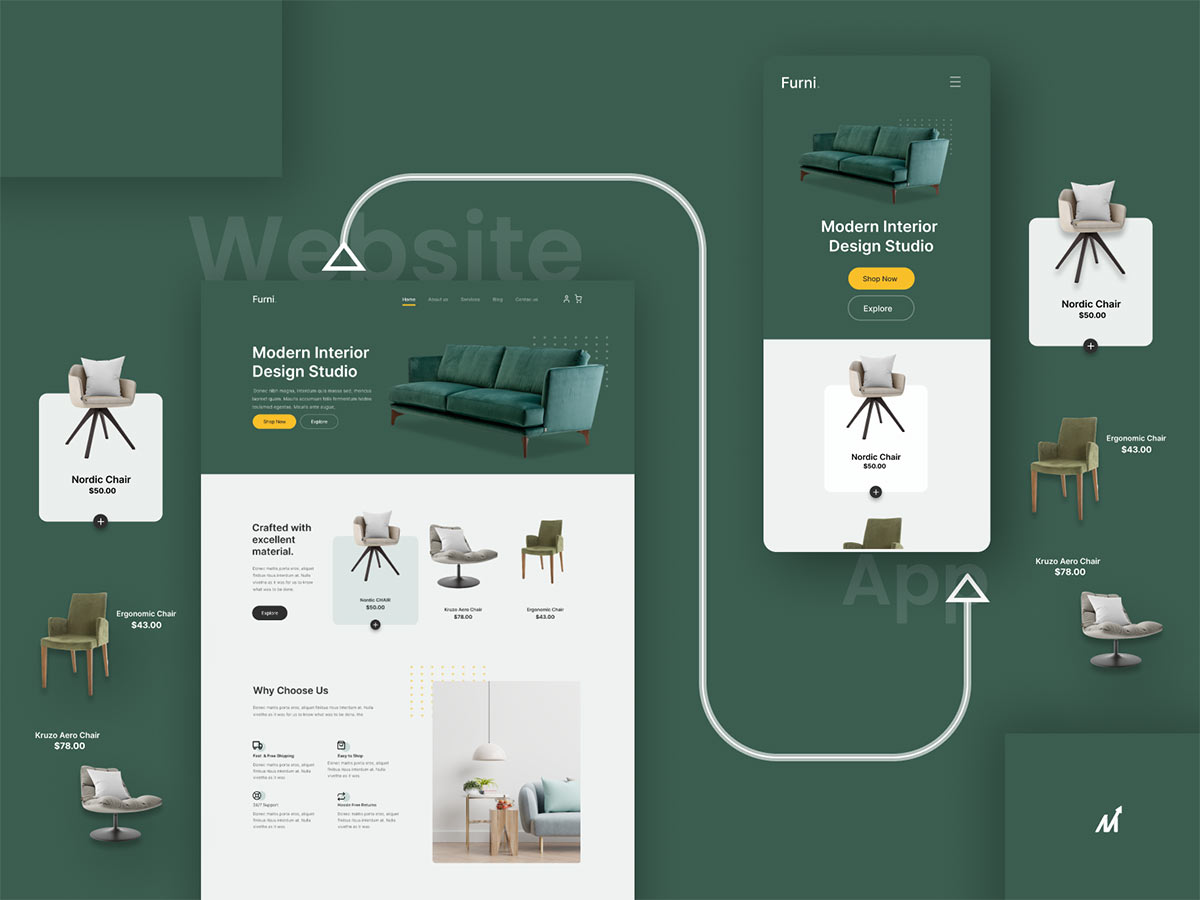
And let's not forget the potential for richer functionality. While websites are fantastic, they have limitations. Apps can tap into your device’s camera, GPS, accelerometer, and other sensors, opening up a whole new world of interactive possibilities. Imagine an interior design app that lets you virtually place furniture in your room using your phone’s camera, or a travel app that uses your location to suggest nearby hidden gems. Pretty cool, right?
Demystifying the Conversion Process
Okay, so you’re sold on the idea. Now, how do you actually make this happen without needing a degree in computer science or a trust fund dedicated to app development? The good news is, the landscape has evolved. You don’t necessarily need to build an app from scratch, brick by digital brick. There are several paths you can take, each with its own flavor and level of involvement. It’s like choosing your own adventure, but instead of a dragon, your quest is for a killer app.
The "No-Code" Wonders: Drag, Drop, Done!
For many, the easiest and most budget-friendly route lies with no-code app builders. These platforms are the unsung heroes of the app world, allowing individuals and small businesses to create functional mobile apps with minimal (if any) coding knowledge. Think of it like using a drag-and-drop website builder, but for apps. You select templates, customize layouts, add your content, and connect features – all through an intuitive visual interface.
Platforms like Appy Pie, BuildFire, and GoodBarber are fantastic examples. They often provide a library of pre-built features that you can simply plug into your app, from e-commerce functionalities and booking systems to loyalty programs and social media integrations. The process usually involves:
- Choosing a platform: Research which platform best suits your needs and budget.
- Selecting a template: Many platforms offer industry-specific templates to get you started.
- Customizing the design: Upload your logo, brand colors, and fonts to match your website’s aesthetic.
- Adding content: Import your website’s text, images, and product catalogs.
- Integrating features: Add functionalities like contact forms, maps, push notifications, and payment gateways.
- Previewing and testing: See how your app looks and functions on different devices.
- Publishing: The platform usually handles the submission process to the App Store and Google Play.
Fun Fact: The first mobile app was created in 1973 by Martin Cooper, the inventor of the mobile phone. It was a game called Snake! While not exactly a conversion, it was certainly an early example of mobile functionality.
The beauty of no-code is its speed and affordability. You can often have a basic app up and running in a matter of days, not months, and at a fraction of the cost of traditional development. It’s perfect for businesses that want to test the waters of app ownership or for those with simpler needs.
The "Hybrid" Approach: A Little Bit of Both
If you have a bit more technical know-how or a slightly more complex vision, a hybrid app development approach might be your sweet spot. Hybrid apps are built using web technologies (like HTML, CSS, and JavaScript) and then wrapped in a native container. This means they can be deployed on both iOS and Android platforms from a single codebase.
Frameworks like React Native and Flutter are popular choices here. They allow developers to leverage their existing web development skills to create near-native app experiences. This often results in a better performance and a more polished feel compared to purely web-based apps.
The process here involves:
- Choosing a framework: React Native, Flutter, or others.
- Setting up the development environment: Installing the necessary tools and software.
- Developing the app: Writing code to build the user interface and functionality. This is where you'll typically convert your website's core elements and logic into the app's structure.
- Integrating APIs: Connecting your app to any backend services or databases your website uses.
- Testing and debugging: Ensuring everything runs smoothly across different devices and operating systems.
- Building and deploying: Compiling the app and submitting it to the app stores.
This approach offers a great balance between cost, development time, and performance. It’s like having a talented freelance designer and developer who can bring your vision to life with a bit of guidance.
The "Native" Powerhouse: For the Ultimate Experience
For those who demand the absolute best in performance, user experience, and access to device-specific features, native app development is the way to go. This involves building separate apps for iOS (using Swift or Objective-C) and Android (using Java or Kotlin). Native apps are optimized for their respective platforms, offering the fastest performance, the most seamless integration with device hardware, and the most polished user interface.
This is the most resource-intensive option, both in terms of time and money. It’s usually the preferred choice for large companies with complex apps, games, or applications that heavily rely on device-specific functionalities like augmented reality or advanced camera features. Think of the Instagram or Spotify apps – those are native powerhouses.
The process involves:
- Hiring a development team: Or if you have the expertise, building it yourself.
- Platform-specific design and development: Creating separate apps for iOS and Android.
- Extensive testing and optimization: Ensuring peak performance on each platform.
- App store submission: Navigating the distinct submission guidelines for each store.
This is akin to commissioning a bespoke suit from a master tailor – it’s the most premium option, tailored to perfection. It's the Rolls-Royce of app development.
Bridging the Gap: What to Consider
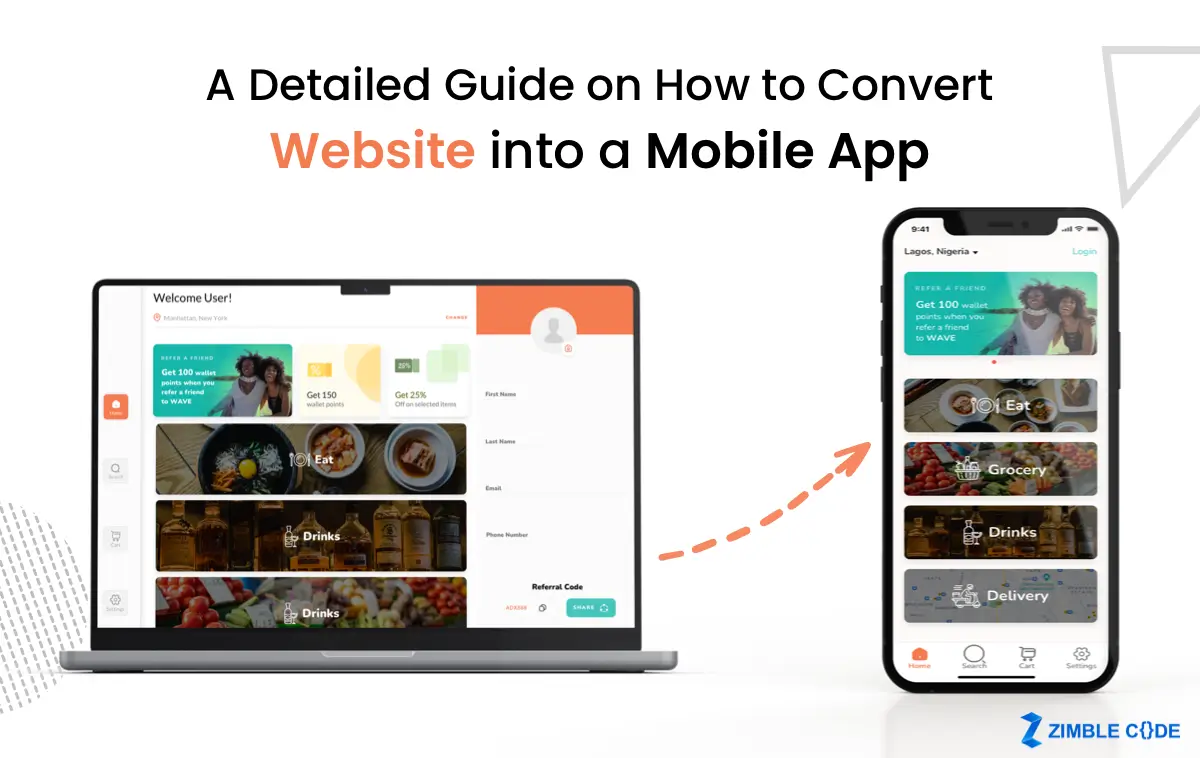
Regardless of the path you choose, there are some universal considerations when converting your website to an app. It’s not just about copying and pasting; it’s about translating the essence of your online presence into a mobile-first experience.
Content is King (Still!):
Your website’s content is your foundation. Decide which content is most valuable for your app users. Do you want to showcase your product catalog? Share your blog posts? Provide customer support resources? Prioritize the content that offers the most immediate value to someone accessing your brand on the go.
User Journey: The Mobile Makeover
Think about how a user interacts with your website versus how they’ll interact with your app. The user journey needs to be streamlined and intuitive for a mobile screen. This means larger buttons, simpler navigation, and a focus on key actions. Simplify, simplify, simplify! What’s the single most important thing you want users to do in your app? Make that incredibly easy.
Functionality: Less is Often More
While it’s tempting to cram every single feature from your website into your app, it’s often a recipe for disaster. Mobile users are looking for quick, efficient interactions. Identify the core functionalities that will provide the most benefit to your app users. Perhaps it’s the ability to make a purchase, book an appointment, or access exclusive content.
Design and Branding: Consistency is Key
Your app should feel like an extension of your website. Maintain a consistent brand identity with your logo, color palette, typography, and overall visual style. This builds trust and reinforces brand recognition. Think of it like a consistent outfit – it makes you look put-together and recognizable!
Performance Optimization: Speed Matters
Mobile users are impatient. If your app loads slowly or is clunky to navigate, they’ll likely uninstall it faster than you can say “buffering.” Optimize your images, streamline your code, and ensure fast loading times. This is non-negotiable for a good user experience.

Push Notifications: The Art of Engagement
As mentioned, push notifications are powerful. However, overuse can lead to annoyance. Use them strategically and sparingly, offering real value to the user. Think of it as a polite tap on the shoulder, not a persistent nagging.
The Fun Bits: Adding that Extra Sparkle
Once you have the core conversion sorted, how do you make your app truly shine? This is where you can inject some personality and create an experience that users will love.
- Gamification: Integrate game-like elements such as points, badges, leaderboards, or challenges to encourage user engagement. Think of the satisfying “ding” when you complete a level in a mobile game!
- Personalization: Tailor the app experience based on user preferences or past behavior. This can range from personalized recommendations to custom content feeds.
- Augmented Reality (AR): If your business lends itself to it, AR can create magical experiences. Imagine trying on virtual clothes or seeing how a piece of furniture would look in your home.
- Interactive Elements: Think beyond static content. Incorporate polls, quizzes, interactive maps, or user-generated content features.
- Offline Access: For certain types of content, allowing users to access it offline can be a game-changer, especially for those on the go with spotty internet connections.
Cultural Reference: Remember when Pokémon GO took the world by storm? That’s a perfect example of how leveraging device capabilities (GPS, camera) and gamification can create an incredibly engaging mobile experience. Your app might not involve catching virtual creatures, but the principle of creating an interactive and rewarding experience remains the same.
The Grand Finale: Launch and Beyond
So, you’ve built it. Now what? Launching your app is just the beginning of the journey. You’ll need a marketing strategy to get the word out, encouraging your website visitors to download your new mobile companion. Consider promoting it on your website, social media, and through email marketing. And don’t forget to encourage reviews and ratings in the app stores!
Furthermore, continuous improvement is key. Monitor your app’s performance, gather user feedback, and roll out updates with new features and bug fixes. The app store is a dynamic place, and keeping your app fresh and relevant is crucial for long-term success.
A Moment of Reflection
In our digitally saturated lives, convenience and seamlessness are no longer luxuries; they’re expectations. Converting your website into a mobile app is more than just a technological upgrade; it’s about meeting your audience where they are, offering them a more direct, engaging, and personalized connection to your brand. It’s about making your digital presence as effortless to interact with as a quick chat with a friend or a spontaneous coffee run. It’s about bringing your essence, your offerings, and your community right into their pocket, ready to be explored anytime, anywhere. And in a world that’s constantly on the move, that kind of accessibility is, quite frankly, a superpower.
![How to Convert Your Website Into an App [+ 5 Brands That Did It]](https://blog.hubspot.com/hs-fs/hubfs/how-to-convert-website-into-mobile-app.jpg?width=1190&height=800&name=how-to-convert-website-into-mobile-app.jpg)
![How to Convert Your Website Into an App [+ 5 Brands That Did It]](https://blog.hubspot.com/hs-fs/hubfs/how-to-convert-website-into-mobile-app-apps-v-browser-png.png?width=1000&name=how-to-convert-website-into-mobile-app-apps-v-browser-png.png)
.jpg)